Why isn't my Facebook ad Library working?


You open the Ad Library, type a brand name and get nothing. Or the page loads endlessly, or the results appear then vanish on refresh. It is one of the most frustrating moments in competitor research because you cannot tell whether the tool is broken or the advertiser genuinely has no ads running. So why isn't your Facebook Ad Library working?
In the vast majority of cases the cause is not a bug on Meta's side. The most common explanation is a filter problem. The library requires a country selection, and if yours is set to a market where the advertiser does not run campaigns you will see an empty result that looks identical to a technical failure. The ad category filter causes the same confusion since switching to political or issue ads hides every commercial campaign.
The second frequent cause is a search problem. The library matches on page names rather than brand names, which means searching a trading name that differs from the registered page returns nothing. Large companies also operate multiple pages by country or product line, so you may be looking at an inactive one.
Technical causes come third. Ad blockers and privacy extensions frequently break the library since it loads content from Meta domains they filter aggressively. A VPN placing you in a restricted region, a corrupted cache, an outdated browser or a genuine Meta outage all produce similar symptoms.
There is also a scenario where nothing is broken at all. If an advertiser has simply paused their campaigns, the library shows nothing because it only displays currently active ads. Stopped campaigns disappear entirely, which is arguably its most limiting design choice for research.
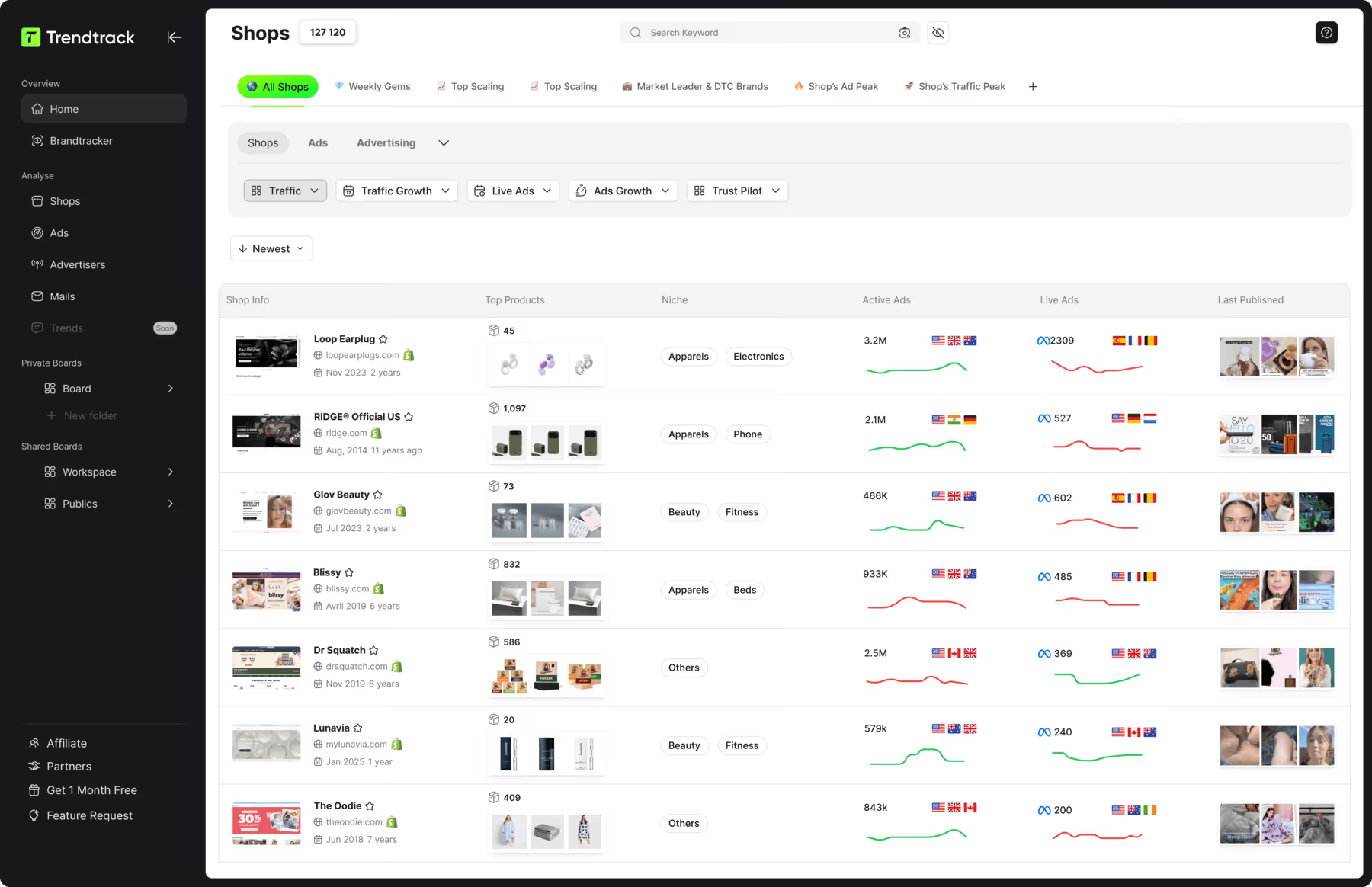
That last point is worth remembering because it is not fixable. Trendtrack available at app.trendtrack.io/en/sign-up preserves full ad history alongside top performing creatives, scaled formats and landing pages across Meta, TikTok and Google.
In this article we explain every reason the Facebook Ad Library stops working and how to fix each one.
What Are the Most Common Reasons the Facebook Ad Library Fails?
Understanding which category your problem falls into determines how quickly you fix it. Here are the most common reasons the Facebook Ad Library fails.
The country filter is set to the wrong market
This is by far the most frequent cause and the most misleading. The Ad Library requires a country selection before it returns anything, and it defaults to your detected location rather than the market you are researching. An advertiser running campaigns exclusively in the United States returns zero results when your filter sits on France, which looks exactly like a broken tool.
Large brands compound this by running entirely different creatives per market. You may find three ads in one country and forty in another for the same advertiser. Always verify your country setting before concluding anything, and test two or three markets when researching an international brand.
The ad category filter is hiding commercial ads
The second filter trap concerns ad categories. The library separates all ads from issues, elections and politics, and selecting the political category filters out every commercial campaign. Creators who switched categories to see spend data then forgot to switch back frequently assume the tool stopped working.
You are searching the wrong page name
The library matches on page names, not on brand names, trading names or domains. A company operating commercially under one name while its Facebook page carries another returns nothing when you search the commercial name. Large groups also maintain separate pages per country, per product line or per sub-brand, several of which may be inactive.
Searching a keyword rather than a page name often solves this since it surfaces advertisers whose page naming you did not anticipate.
An ad blocker or privacy extension is interfering
Technical causes come next and ad blockers lead them. Extensions like uBlock Origin, AdBlock Plus and privacy-focused tools filter Meta domains aggressively, which breaks the library's ability to load ad content. Symptoms include an endlessly loading page, results that appear then disappear, or a blank grid where creatives should render.
Testing in a private browsing window with extensions disabled isolates this immediately.
Your cache or browser is causing the problem
A corrupted cache produces intermittent failures that resolve after clearing browsing data. Outdated browsers occasionally fail on the library's JavaScript components as well. Chrome and Firefox on current versions give the most reliable experience.
A VPN is placing you in a restricted region
If you browse through a VPN the library reads your apparent location rather than your real one, which can restrict access or return results for a market you never intended to research.
Meta is experiencing an outage
Occasionally the problem genuinely is on Meta's side. Service outages affect the Ad Library like any other product, and checking whether others report the same issue confirms this quickly.
The advertiser simply stopped running ads
Finally, nothing may be broken. The library shows active campaigns only, so a paused advertiser returns nothing.
How to Fix the Facebook Ad Library Step by Step?
Working through these checks in order isolates the cause within a couple of minutes. Here is how to fix the Facebook Ad Library step by step.
Check and change your country filter
Reset the ad category to all ads
Search by keyword instead of page name
Verify the advertiser actually runs ads
Disable your ad blocker and extensions
Test in a private browsing window
Clear your cache and cookies
Disable your VPN
Try another browser
Check whether Meta is down
The first step is to check your country filter since this resolves the majority of empty results. Change it to the market where the advertiser actually operates, then test two or three additional countries if you are researching an international brand.
The second step is to reset the ad category to all ads. If it sits on issues, elections or politics every commercial campaign stays hidden.
The third step is to search by keyword rather than page name. The library matches page names exactly, so a brand trading under a different name than its Facebook page returns nothing. A keyword search surfaces advertisers whose naming you could not have guessed.
The fourth step is to verify the advertiser runs ads at all. Visit their Facebook page and open the Page Transparency section which indicates whether ads are currently active. This distinguishes a broken tool from an advertiser who simply paused.
The fifth step is to disable your ad blocker. Extensions filtering Meta domains break the library's ability to load creatives, producing endless loading or blank grids.
The sixth step is to test in a private window which runs without extensions and with a clean session, isolating the problem instantly.
The seventh step is to clear your cache and cookies if the private window works while your normal session does not.
The eighth step is to disable your VPN since the library reads your apparent location and may restrict access accordingly.
The ninth step is to try another browser, ideally a current version of Chrome or Firefox.
The tenth step is to check for a Meta outage through a status monitoring site before assuming the problem is yours.
What if the Ad Library Shows No Ads for a Competitor?
Once you have ruled out filters, extensions and technical faults, an empty result means something specific. Four explanations remain.
The first is that the competitor has paused their campaigns. The library displays active ads exclusively, so an advertiser between campaigns appears identical to one who never advertised. This is common around seasonal cycles, product transitions or budget reviews.
The second is that they advertise in markets you have not checked. A brand running heavily in Germany and Poland while ignoring France returns nothing on a French filter. Testing several countries settles this quickly.
The third is that they operate a different page than the one you searched. Large groups maintain separate pages per market, per sub-brand or per product line, and the commercial page is not always the one carrying ads.
The fourth is that they genuinely do not use paid social. Some competitors build acquisition through SEO, affiliates, marketplaces or Google Ads exclusively. An empty Meta library then tells you something valuable rather than nothing: their budget flows elsewhere.
That last point is where the library's design becomes genuinely limiting. It cannot tell you whether a competitor stopped advertising last week or never started, and it erases every campaign they ran before pausing. Those abandoned creatives are precisely what reveal which angles failed to convert.
What Are the Permanent Limitations of the Facebook Ad Library?
Some problems are not bugs to fix but design choices you cannot work around. Here are the permanent limitations of the Facebook Ad Library.
No historical archive since paused campaigns disappear the moment an advertiser stops them, erasing the angles that failed to convert
No spend data on commercial ads, which is disclosed only for political and issue advertising
No reach, impressions or engagement figures meaning you see existence without any performance signal
No competitor comparison since you browse one advertiser at a time with no side-by-side view
No export capability leaving screenshots as your only way to archive findings
No alerts or monitoring so you discover a competitor's new campaign whenever you happen to check
Imprecise keyword search that frequently misses advertisers whose page naming differs from their brand
Meta platforms only with zero visibility into TikTok or Google Ads activity
Among these the absence of historical data is the most damaging for research. A competitor's abandoned campaigns teach you as much as their surviving ones since they flag approaches that cost money without converting. The library erases that intelligence permanently.
The lack of monitoring comes second. Manual checking means you notice a new campaign weeks after launch, by which point the opportunity window has narrowed considerably.
FAQ about Facebook Ad Library problems
Why does the Facebook Ad Library show no results for a brand?
The most frequent cause is your country filter. The library requires a country selection and defaults to your detected location rather than the market you are researching, so an advertiser running exclusively in the United States returns nothing when your filter sits on France. Check this first and test several markets for international brands. The second cause is the search term itself since the library matches page names rather than brand names, meaning a company trading under a different name than its Facebook page returns nothing. Searching a keyword instead often solves this. Finally the advertiser may simply have paused their campaigns since only active ads appear.
Does an ad blocker break the Facebook Ad Library?
Yes and this is one of the most common technical causes. Extensions including uBlock Origin, AdBlock Plus and privacy-focused tools filter Meta domains aggressively, which prevents the library from loading ad content properly. Typical symptoms are a page that loads endlessly, results that flash then disappear, or an empty grid where creatives should render. Testing in a private browsing window isolates this immediately since extensions are disabled by default there. If the private window works, whitelist the Ad Library in your blocker settings or disable the extension while conducting your research.
Can you see ads that have stopped running?
No and this is the library's most limiting design choice. It displays currently active campaigns exclusively, so the moment an advertiser pauses an ad it disappears permanently. This removes genuinely valuable intelligence since abandoned campaigns reveal which angles cost money without converting, information that would prevent you from repeating the same mistakes. Political and issue ads are archived for seven years in most markets, but that exception helps nobody conducting commercial research. Trendtrack available at app.trendtrack.io/en/sign-up preserves full ad history automatically including creatives an advertiser has already stopped.
Why do I see fewer ads than expected?
Several explanations exist. Your country filter may be restricting results to a single market while the advertiser runs different campaigns elsewhere. The library also groups multiple variations of the same campaign under a single entry, which visually reduces the apparent number of ads even though many creatives are active. Some advertisers additionally operate several pages, and the one you searched may carry only part of their activity. Finally the advertiser may have recently scaled down. Testing multiple countries and checking related pages usually reveals considerably more than a first search suggests.
Is the Facebook Ad Library ever down?
Yes, like any Meta product it experiences occasional outages. Symptoms include pages failing to load entirely, persistent error messages or search returning nothing regardless of your query. Before assuming an outage, work through the filter and extension checks first since those explain the large majority of failures. If everything checks out, a status monitoring site or a quick search on social platforms will confirm whether others report the same problem. Outages typically resolve within hours and require no action on your side beyond waiting.
Is there a better alternative to the Facebook Ad Library?
The library remains an excellent free starting point since its data comes directly from Meta with no estimation involved. Its gaps are structural rather than fixable: no historical archive, no performance data, no comparison, no export, no alerts and no coverage beyond Meta platforms. For research that genuinely informs decisions those limitations matter. Trendtrack available at app.trendtrack.io/en/sign-up addresses all of them with full ad history, top performing creatives, scaled formats and landing pages, backed by 95 million indexed TikToks and 700,000+ brand profiles updated every 24 hours.

.avif)
Ready to build a million-dollar brand?
.avif)