Facebook Ad Library: Definition and Guide 2026


.webp)
Every ad running on Facebook, Instagram, Messenger and the Audience Network is publicly visible right now. Not a sample, not a selection: every single one. Meta publishes them in a searchable database anyone can open without an account, and the vast majority of advertisers never use it. That is one of the largest pools of free competitive intelligence available to marketers today, sitting unexploited.
The Facebook Ad Library exists because of regulation rather than generosity. After the political advertising controversies of 2018 Meta was pushed to make advertiser activity transparent, and that obligation gradually extended from political ads to commercial ones. What started as a compliance requirement became, almost by accident, the most complete public record of paid social activity in existence.
For marketers the value is immediate and concrete. You can see which creatives a competitor is running right now, how many variations they are testing simultaneously, how long each ad has been live, which landing pages they send traffic to, which countries they target and how their messaging evolves over time. Since no advertiser sustains an unprofitable campaign for months, ad longevity is the closest thing to a public profitability signal you will find anywhere.
That said the library has real blind spots that most guides gloss over. It shows existence without performance: no spend figures for commercial ads, no reach, no conversion data, no way to compare advertisers side by side, no export, no alerts. You browse manually, one advertiser at a time, with no historical archive of campaigns already stopped.
This guide covers what the Facebook Ad Library is, how to use it properly, what each piece of data actually tells you, how to read a competitor's strategy from their creatives, and where the tool stops being enough.
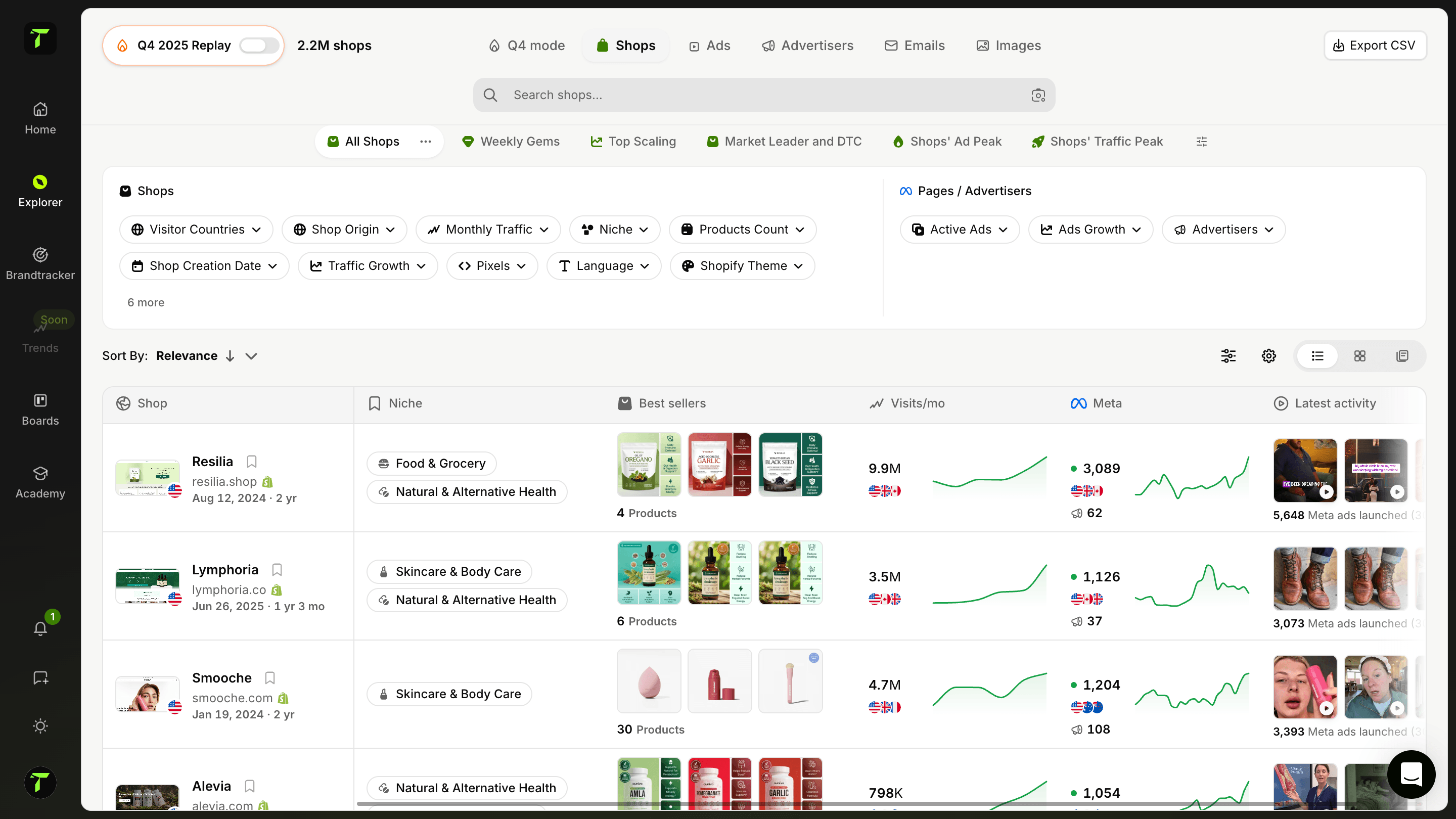
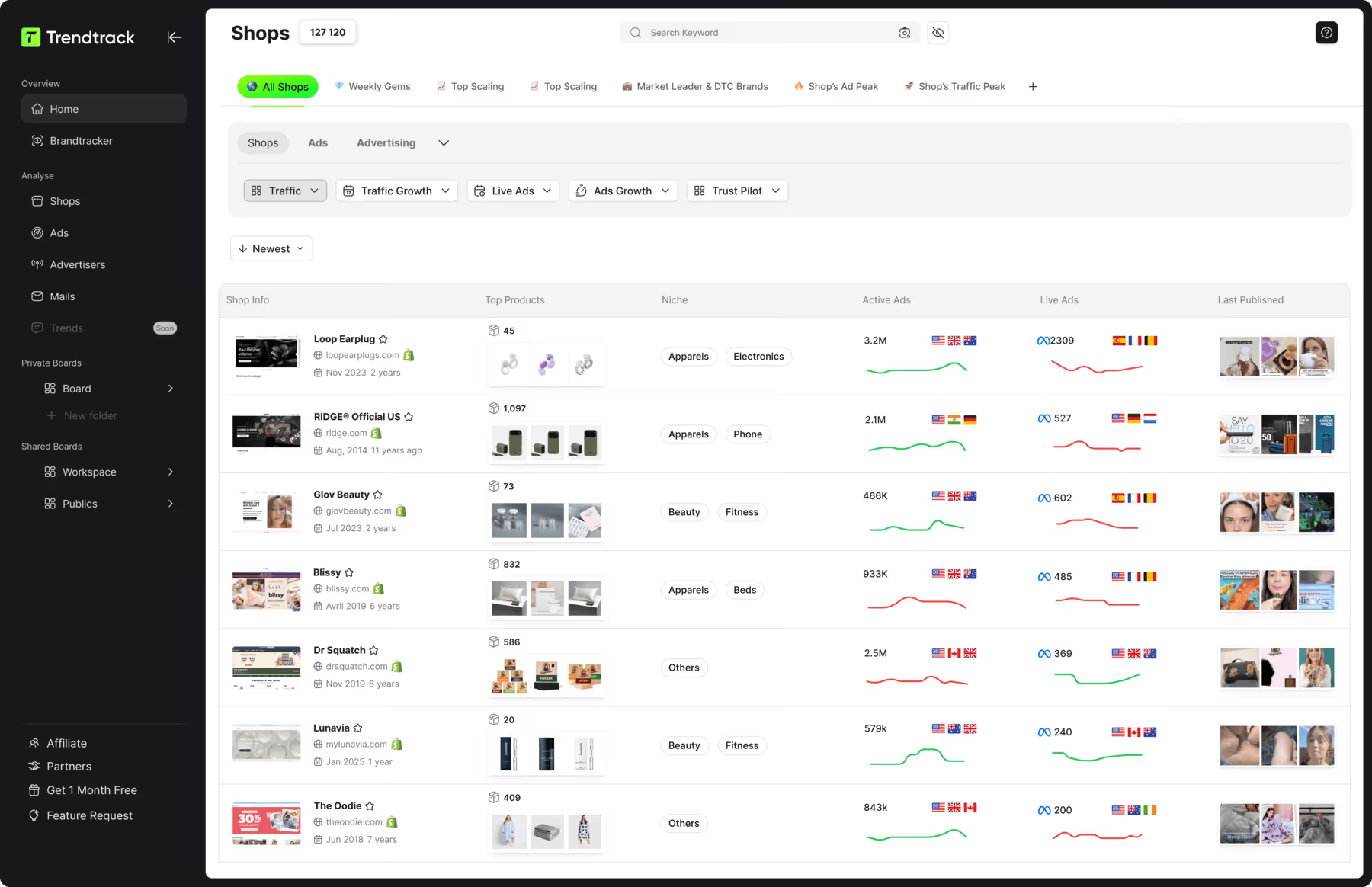
For the performance layer it lacks Trendtrack available at app.trendtrack.io/en/sign-up reveals full ad history, top performing creatives, scaled formats and landing pages across Meta, TikTok and Google.
What Is the Facebook Ad Library?
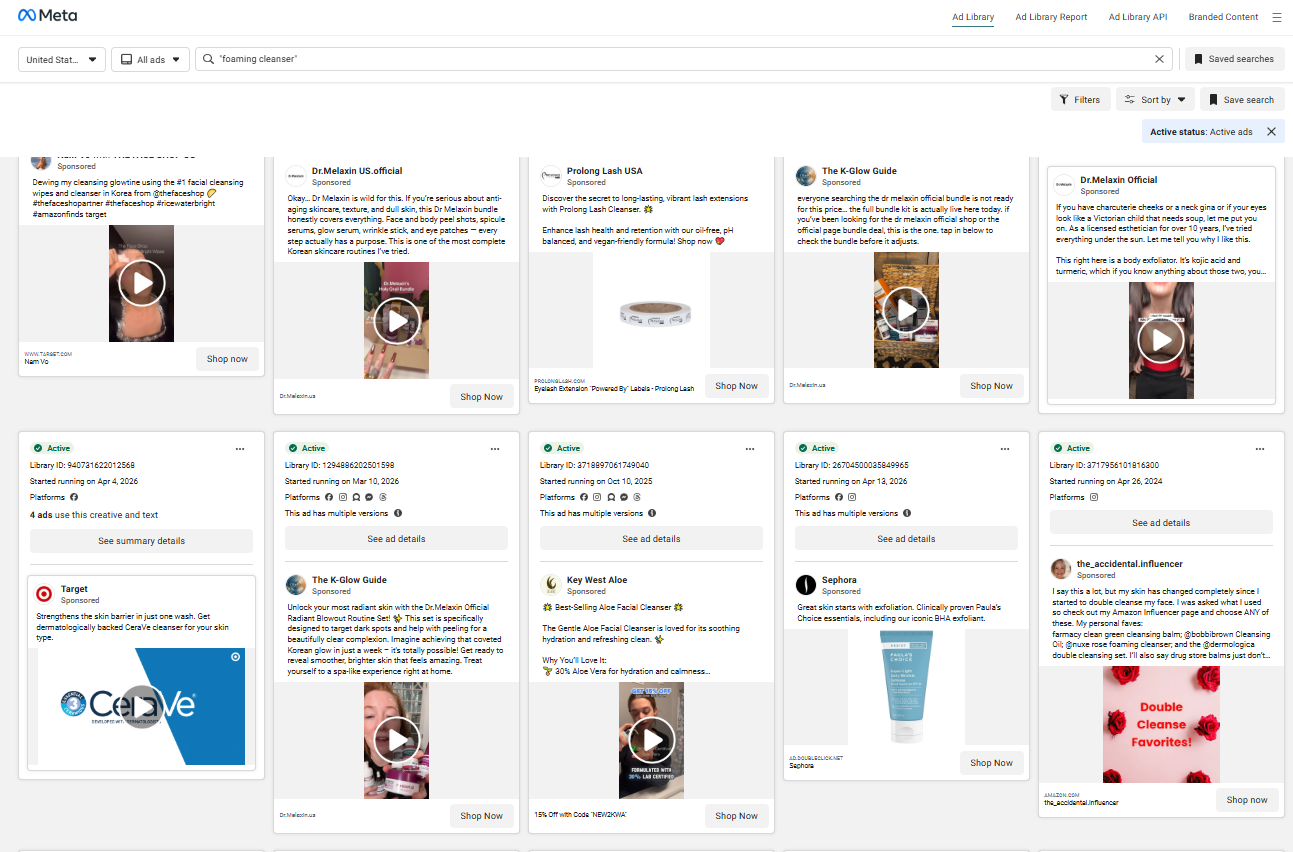
The Facebook Ad Library, now officially branded the Meta Ad Library, is a free public database listing every advertisement currently running across Meta's platforms. It covers Facebook, Instagram, Messenger and the Audience Network, and it requires no account, no subscription and no advertiser status to access. You visit the page, search a brand or a keyword, and browse what that advertiser is putting in front of people right now.
Why Meta built it in the first place
The library was not a marketing initiative. It emerged from regulatory pressure following the 2018 political advertising scandals, when Meta faced sustained criticism over opaque political messaging and foreign interference. The company responded by publishing political and issue ads in a searchable archive, initially in the United States then progressively across other markets.
That scope expanded over time. Regulations including the European Digital Services Act pushed Meta to extend transparency beyond political content to commercial advertising as well. What began as a narrow compliance obligation became a comprehensive public record of paid social activity, which is why the tool feels somewhat unpolished for competitive research: it was never designed for that purpose.
Understanding this origin explains both its strengths and its gaps. Meta publishes what regulation requires and stops there. Everything a marketer would genuinely want, including spend, reach and performance data, is disclosed only for political and issue ads because only those carry that legal obligation.
What data it actually shows
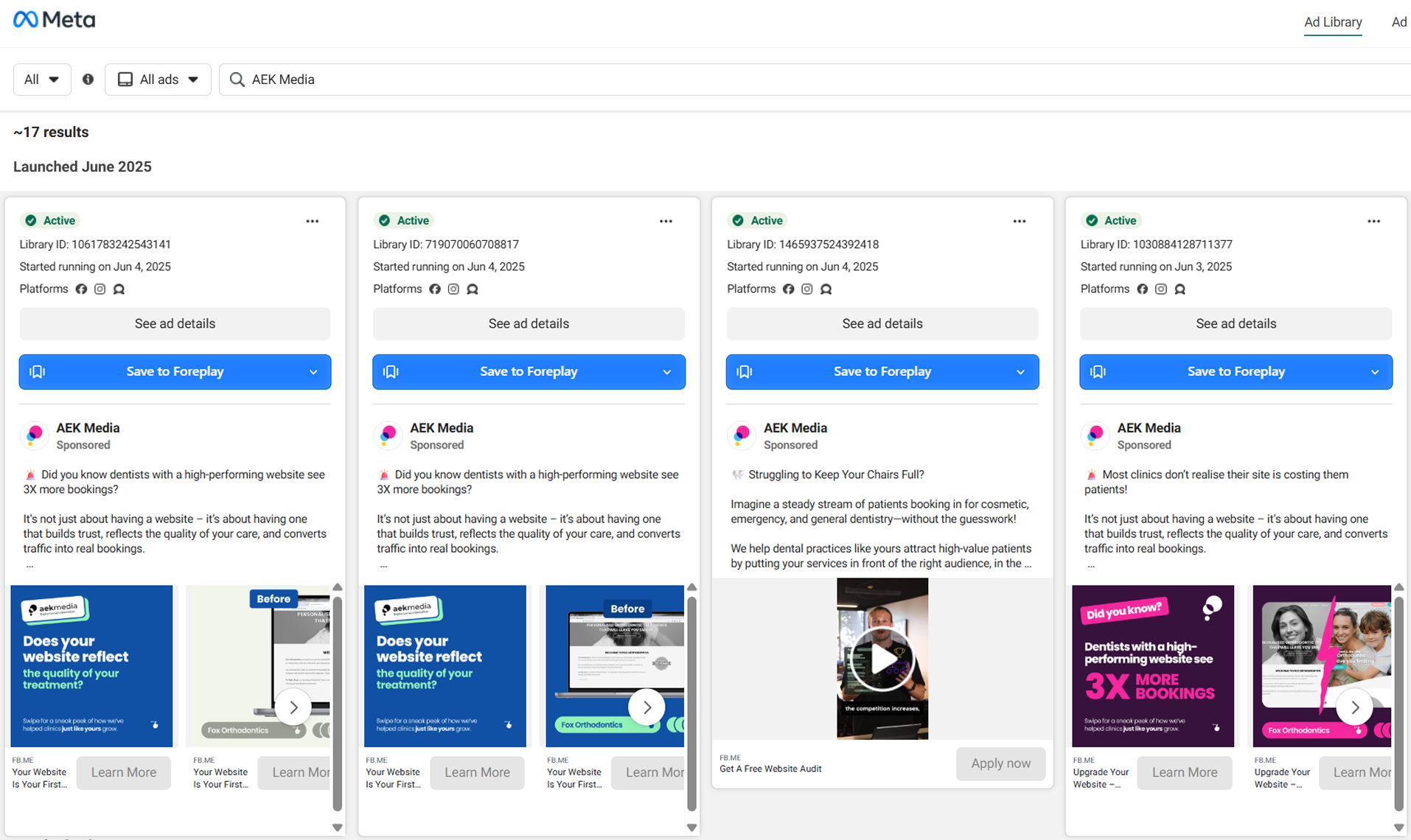
For any advertiser you search the library displays the full set of ads currently active. You see each creative in its published form, meaning the image or video, the primary text, the headline and the call to action exactly as a user encounters them.
Two data points carry disproportionate value. The first is the launch date attached to every ad, which lets you calculate how long a creative has been running. The second is the number of variations grouped under a single campaign, which reveals how aggressively an advertiser is testing.
You also see the platforms where each ad appears, the countries targeted, the destination URL for most creatives, and the Page Transparency information covering page creation date, name changes, administrator locations and page merges.
For political and issue ads specifically Meta discloses considerably more, including spend ranges, impression ranges, demographic breakdowns and geographic distribution. Commercial advertisers receive none of this.
What the library does not show
The gaps matter as much as the contents. There is no spend data for commercial ads, no reach or impression figures, no engagement metrics and no conversion information whatsoever. You see that an ad exists without knowing whether anyone responded to it.
There is also no historical archive. Once an advertiser stops a campaign it disappears from the library, which means the ads that failed become invisible. That is genuinely unfortunate since abandoned campaigns teach you as much as surviving ones by flagging approaches that did not convert.
Finally the library offers no analysis layer. No side-by-side comparison, no export, no alerts when a competitor launches something new, no sorting by duration. You browse manually, one advertiser at a time, and repeat that process every time you want an update.
Who actually uses it and why
Three groups use the library seriously. Media buyers research creative angles before launching campaigns. Brand and product teams monitor competitor positioning and messaging shifts. Journalists and researchers investigate political advertising and coordinated behaviour.
A fourth group matters commercially: e-commerce operators hunting for products and angles. Seeing which products a competitor has been advertising for four months is a stronger signal than any trending product list.
How to Use the Facebook Ad Library Step by Step?
Using the library well takes more than typing a brand name. The sequence below turns casual browsing into structured research. Here is how to use the Facebook Ad Library step by step.
Open the library and set your country filter
Choose your ad category
Search by advertiser, page or keyword
Select the correct page among the results
Filter by platform, media type and status
Sort and scan for the longest-running ads
Open individual ads for full detail
Check Page Transparency information
Follow the destination URLs
Document what you find before it disappears
The first step is to open the library at facebook.com/ads/library and set your country. This filter matters enormously since an advertiser may run entirely different creatives in France, Germany and the United States. Researching the wrong market gives you accurate data about a campaign that has nothing to do with your audience.
The second step is to choose your ad category. The default covers all ads, while selecting issues, elections or politics unlocks the spend and impression data Meta discloses only for that category. For commercial research leave it on all ads.
The third step is to search by advertiser, page or keyword. Searching a page name works when you know your competitor. Searching a keyword is often more productive since it surfaces advertisers you had not identified, including newcomers testing your niche.
The fourth step is to select the correct page. Large brands operate multiple pages by country, product line or sub-brand. Verify you are looking at the entity actually serving your market before drawing conclusions.
The fifth step is to apply filters for platform, media type and active status. Filtering by video versus image reveals where a competitor invests creatively, and platform filtering shows whether they prioritize Instagram over Facebook.
The sixth step is to scan for the longest-running ads. This is the single most valuable action in the entire process. Every creative displays its launch date, and an ad live for four months has almost certainly proven profitable. Prioritize studying these above everything else.
The seventh step is to open individual ads to see the full primary text, headline, description and call to action. The grid view truncates copy, and the full text is where the actual messaging strategy lives.
The eighth step is to check Page Transparency which reveals page creation date, previous names, administrator locations and page merges. A page created three months ago running aggressive campaigns tells you something quite different from an established brand.
The ninth step is to follow the destination URLs. Traffic acquisition is half the equation and conversion happens after the click. Seeing the landing page exposes offer structure, pricing and the arguments a competitor leads with.
The tenth step is to document what you find through screenshots and notes. Ads disappear from the library the moment they stop running, so anything you do not capture is lost permanently.
That last point is exactly where the tool falls short. Trendtrack available at app.trendtrack.io/en/sign-up preserves full ad history automatically.
What Can You Learn From a Competitor's Ads?
Looking at ads is easy. Reading a strategy from them requires knowing which signals carry meaning. Here is what you can learn from a competitor's ads.
What is profitable, inferred from duration
The most valuable insight is which creatives have survived. Every ad in the library displays its launch date, and paid advertising is ruthlessly self-correcting: an unprofitable ad gets paused within days because nobody funds losses indefinitely. An ad still running after four months has therefore passed a market test more rigorous than any focus group.
This turns duration into a proxy for profitability that costs you nothing to observe. Sort a competitor's ads mentally by age and the oldest ones tell you exactly which angle, which creative format and which offer actually converts in your category. Everything else is noise by comparison.
How much they are testing and how fast
The number of active variations reveals their testing intensity and by extension their budget. An advertiser running four creatives is operating cautiously. One running sixty simultaneously is scaling aggressively with a systematic testing process behind it.
The launch dates across those variations add a second layer. A cluster of ads all launched within the same week signals an active testing phase, often around a product launch or a seasonal push. A steady trickle of new creatives month after month indicates continuous optimization rather than campaign bursts.
Which angles resonate with the market
Reading the primary text across multiple ads exposes the arguments a competitor leads with. Do they open on price, on a problem, on social proof, on a guarantee? Messaging that repeats across several long-running ads has been validated, which makes it far more reliable than any assumption about what your audience cares about.
Pay particular attention to the objections they address first. An advertiser repeatedly mentioning shipping speed or return policy is telling you those are the friction points in your category.
Their creative formats and production level
Comparing video against static image and user-generated content against studio production shows where budget flows and what the market responds to. A niche dominated by raw UGC video signals that polished production is not the differentiator, which is useful to know before commissioning an expensive shoot.
Their conversion strategy after the click
Following destination URLs exposes the second half of the funnel. You see whether they send traffic to a product page, a listicle, a quiz or a dedicated landing page, along with their pricing, their guarantees and their upsell structure. Many advertisers obsess over creatives while ignoring that conversion happens after the click.
Where they are weak
Finally look for what is absent. Formats they never test, audiences they ignore, angles nobody uses in your category. Gaps are frequently more actionable than patterns since they represent space with less competitive pressure.
What Are the Limitations of the Facebook Ad Library?
The library is genuinely useful but its gaps determine how far your research can go. Here are the limitations of the Facebook Ad Library.
| Limitation | Impact on your research |
|---|---|
| No spend data on commercial ads | You cannot gauge budget or scale |
| No reach or impressions | No idea how many people saw the ad |
| No engagement or conversion data | Existence without any performance signal |
| No historical archive | Stopped campaigns disappear permanently |
| No competitor comparison | One advertiser at a time, manually |
| No export capability | Nothing to save, sort or share internally |
| No alerts or monitoring | You must check manually and repeatedly |
| Limited search functionality | Keyword results are often imprecise |
| Meta platforms only | No visibility into TikTok or Google Ads |
As the table shows the most damaging gap is the absence of historical data. The moment an advertiser pauses a campaign it vanishes from the library. This removes the negative signal entirely, meaning you never learn which angles a competitor tried and abandoned. Those failures would save you from repeating the same expensive mistakes.
The second major limitation is the lack of any performance metric on commercial ads. You see a creative without knowing whether it generated a single sale. Duration partially compensates for this, which is precisely why it matters so much, but it remains an inference rather than data.
The third limitation is manual operation. No export, no comparison, no alerts. Monitoring five competitors means five separate browsing sessions repeated every week, with screenshots as your only archive.
Finally the library covers Meta exclusively. A competitor scaling on TikTok while running modest Facebook campaigns appears almost invisible.
How to Go Further Than the Facebook Ad Library?
The library tells you what exists today. Serious competitive intelligence requires knowing what worked yesterday and what is working right now across every channel. Closing that distance is what separates casual observation from research that changes your campaigns.
The first thing you need is historical depth. The library erases stopped campaigns which means you only ever see the present. A tool that preserves full ad history lets you trace how a competitor's strategy evolved, which angles they abandoned and which ones they keep returning to. Recurrence is a powerful signal since an advertiser who relaunches the same creative three times has validated it repeatedly rather than once.
The second requirement is performance ranking. Knowing which of a competitor's fifty active creatives actually performs best tells you where their budget converts rather than simply where they spend. Duration is a useful proxy but it remains an inference. Ranking by actual performance removes the guesswork.
The third requirement is cross-platform coverage. Meta is one channel among several and in 2026 a growing share of e-commerce budget flows to TikTok and Google. A competitor running modest Facebook campaigns while scaling hard elsewhere appears nearly invisible in a Meta-only view. You optimize against a partial picture which is precisely how budget gets wasted.
The fourth requirement is continuous monitoring. Manual checking means you discover a competitor's new campaign weeks after launch, by which time the opportunity window has narrowed considerably. Automated tracking surfaces changes as they happen.
The fifth requirement is landing page intelligence at scale. Following URLs one by one works for three competitors and collapses at twenty.
FAQ Facebook Ad Library
Is the Facebook Ad Library free to use?
Yes the library is entirely free with no account required, no subscription and no usage limits. You visit facebook.com/ads/library, search an advertiser or a keyword and browse their active creatives immediately. You do not need to be an advertiser yourself or even have a Facebook profile. This accessibility stems from its regulatory origin since Meta built it to satisfy transparency obligations rather than as a commercial product. The trade-off is that it provides no analysis layer, no export capability and no performance data on commercial ads, because none of that was legally required.
Can you see how much competitors spend on Facebook ads?
Not for commercial advertising. Meta discloses spend ranges and impression data exclusively for political and issue ads because only those carry that legal obligation. For every other advertiser you see the creative without any budget indication whatsoever. Some third-party tools publish spend estimates derived from modeling but these remain approximations that can be significantly off. What you can infer reliably is scale through the number of active variations, and profitability through ad duration since no advertiser sustains a losing campaign for months.
How far back does the Facebook Ad Library go?
For commercial ads it does not go back at all. The library displays currently running creatives only, and the moment an advertiser pauses a campaign it disappears permanently. This is arguably its most frustrating limitation for competitive research since abandoned campaigns reveal which angles failed to convert, information that would save you from repeating the same mistakes. Political and issue ads are archived for seven years in most markets, but that carve-out helps nobody doing e-commerce research. Trendtrack available at app.trendtrack.io/en/sign-up preserves full ad history automatically.
Is it legal to analyze competitors through the Ad Library?
Entirely. Meta created the library specifically to make advertiser activity publicly accessible, so consulting it is exactly its intended purpose. Advertisements are public by nature since they are served to users without restriction. What remains prohibited is copying protected creative assets, reproducing a competitor's content directly or using their trademark in your own ads. Observing, analyzing and drawing strategic inspiration from public advertising is standard competitive intelligence practised in every industry and carries no legal risk. The distinction is between studying a strategy and duplicating protected material.
How do you know if a competitor's ad is working?
Duration is the most reliable public signal available. Paid advertising is ruthlessly self-correcting since an unprofitable creative gets paused within days, so an ad still running after several months has almost certainly proven profitable. Check the launch date displayed on each creative and prioritize the oldest ones. A second signal is recurrence, meaning a creative that disappears then returns weeks later has been validated more than once. Neither replaces actual performance data but together they filter out most noise and point you toward what genuinely converts.
Does the Ad Library cover Instagram and TikTok?
The library covers Instagram since it is a Meta property, alongside Facebook, Messenger and the Audience Network. TikTok is not included as it operates its own separate Creative Center with different data and a different interface. Google maintains its own Ads Transparency Center as well. Building a complete picture of a competitor's acquisition therefore means consulting three separate platforms and reconciling the findings manually. Trendtrack available at app.trendtrack.io/en/sign-up consolidates all of this with 95 million indexed TikToks alongside Meta and Google Ads intelligence.

.avif)
Ready to build a million-dollar brand?
.avif)