How do you get started in e-commerce with Shopify?


Shopify is today the most widely used e-commerce platform in the world, with more than 4 million active stores across 175 countries. And for a simple reason: it allows any entrepreneur whether a seasoned developer or a complete beginner to create a professional, fully operational online store in just a few hours, with no server to manage and no code to write.
But launching an e-commerce business with Shopify is not just about creating an account and adding a few products. The market is more competitive than ever, and the stores that succeed are the ones built with a clear strategy from day one. Business model selection, product sourcing, store configuration, acquisition strategy. Every step shapes the outcome of your project.
In this article, we guide you step by step through launching an e-commerce business with Shopify in 2026 from creating your account all the way to making your first sales.
Why Choose Shopify to Launch Your E-Commerce Store?
In an e-commerce platform market that offers dozens of alternatives like WooCommerce, PrestaShop, Wix, or BigCommerce, choosing Shopify is not a trivial decision. It's grounded in concrete, structural advantages that make it the best-suited platform for the vast majority of e-commerce operators starting out in 2026.
The first advantage of Shopify is its ease of use. Creating a Shopify store requires no prior technical skills whatsoever. The intuitive admin interface, included professional themes, and guided setup wizards allow an entrepreneur with no technical background to launch a complete, professional store in just a few hours. This accessibility is particularly valuable for e-commerce operators who want to validate their concept quickly without depending on a developer for every change.
The second advantage is technical reliability and performance. Shopify manages your store's entire technical infrastructure on its own servers. 99.99% guaranteed uptime, optimized loading times, included SSL certificate, automatic security updates. These technical aspects critical to your store's performance are entirely handled by Shopify with no action required on your part. And during traffic spikes like Black Friday or product launches, Shopify's infrastructure automatically scales to absorb the load without any performance degradation.
The third advantage is the richness of its ecosystem. The Shopify app marketplace offers more than 8,000 applications covering virtually every functional need of an e-commerce store. Email marketing, loyalty programs, customer reviews, returns management, upsells and cross-sells, accounting, customer service. Every app integrates natively with Shopify and shares store data transparently. This ecosystem is the guarantee that your store can evolve and grow with new features as your business scales without ever needing to switch platforms.
The fourth advantage is native integration with sales channels. Shopify connects directly with Instagram Shopping, TikTok Shop, Google Shopping, Amazon, Pinterest, and many other marketplaces. This multichannel selling capability from a single centralized admin interface is a considerable advantage for e-commerce operators who want to diversify their distribution channels without multiplying management tools.
The fifth advantage is responsive, available customer support. Unlike open-source solutions like WooCommerce where support relies entirely on community forums Shopify offers official customer support available via chat, email, and phone depending on your plan. When a technical issue arises on your store, you have access to a team of experts who can quickly guide you to a solution.
How to Create Your Shopify Store Step by Step?
Creating your Shopify store is a structured process that can be completed in a single day if you've prepared the necessary elements in advance. Here are the essential steps to launch a fully operational, professional store.
Create Your Account and Choose Your Pricing Plan
The first step is to create your Shopify account at shopify.com. Shopify offers a three-day free trial with no credit card required, allowing you to explore the platform and start configuring your store before making any financial commitment. Once the trial ends, you'll need to choose from the available plans. The Basic plan at around $29 per month is more than sufficient to get started with all essential features. The Shopify plan at around $79 per month becomes relevant when your sales volume justifies advanced features like detailed reports and reduced transaction fees. The Advanced plan at around $299 per month is designed for high-volume stores that need advanced reporting capabilities and the lowest transaction fees available.
Choose and Customize Your Theme
Your theme is the visual identity of your store. Shopify offers a selection of free and paid themes in its official store. For e-commerce operators just starting out, free themes like Dawn or Sense offer a level of professional quality that is more than sufficient. If you want a more distinctive design and advanced features, paid themes ranging between $150 and $350 are an investment that can significantly improve your store's conversion rate. Customize your theme through Shopify's visual editor by adapting colors, typography, images, and page structure to your brand identity without writing a single line of code.
Add Your Products and Optimize Your Listings
Adding products is the step that most directly impacts your sales performance. Every product listing must be optimized with a descriptive, keyword-rich title, a detailed description that answers your potential customers' questions and anticipates their objections, professional-quality photos on both white background and lifestyle settings, a price consistent with your positioning and margins, and clearly defined variants if your product comes in multiple sizes, colors, or configurations. The SEO meta titles and meta descriptions of each product listing must also be filled out to improve your organic visibility on search engines.
Set Up Payment and Shipping Methods
Configuring payments and shipping is an essential technical step before any launch. Shopify Payments is the native integrated payment solution that accepts major credit cards, Apple Pay, and Google Pay with no additional transaction fees on Shopify plans. If Shopify Payments is not available in your country, solutions like Stripe or PayPal can be set up easily. For shipping, define your delivery zones, carrier partners, and shipping rates. Free shipping above a certain order amount is an effective strategy for increasing average order value.
Set Up Essential Marketing Tools
Before launching your store, install and configure the fundamental marketing tools. The Meta pixel and Google Ads tag to track conversions from your future ad campaigns. Google Analytics 4 to analyze visitor behavior on your store. An email marketing tool like Klaviyo to automate your welcome sequences, abandoned cart recovery flows, and post-purchase retention campaigns. And integrations with your social sales channels like Instagram Shopping and TikTok Shop if your target audience is active on those platforms.
How to Find Winning Products for Your Shopify Store?
Finding winning products is the most strategic decision in any Shopify e-commerce journey. A great product in the wrong market will fail. A great product in the right market with the right strategy can generate considerable revenue. Here are the most effective techniques for identifying high-potential products in 2026.
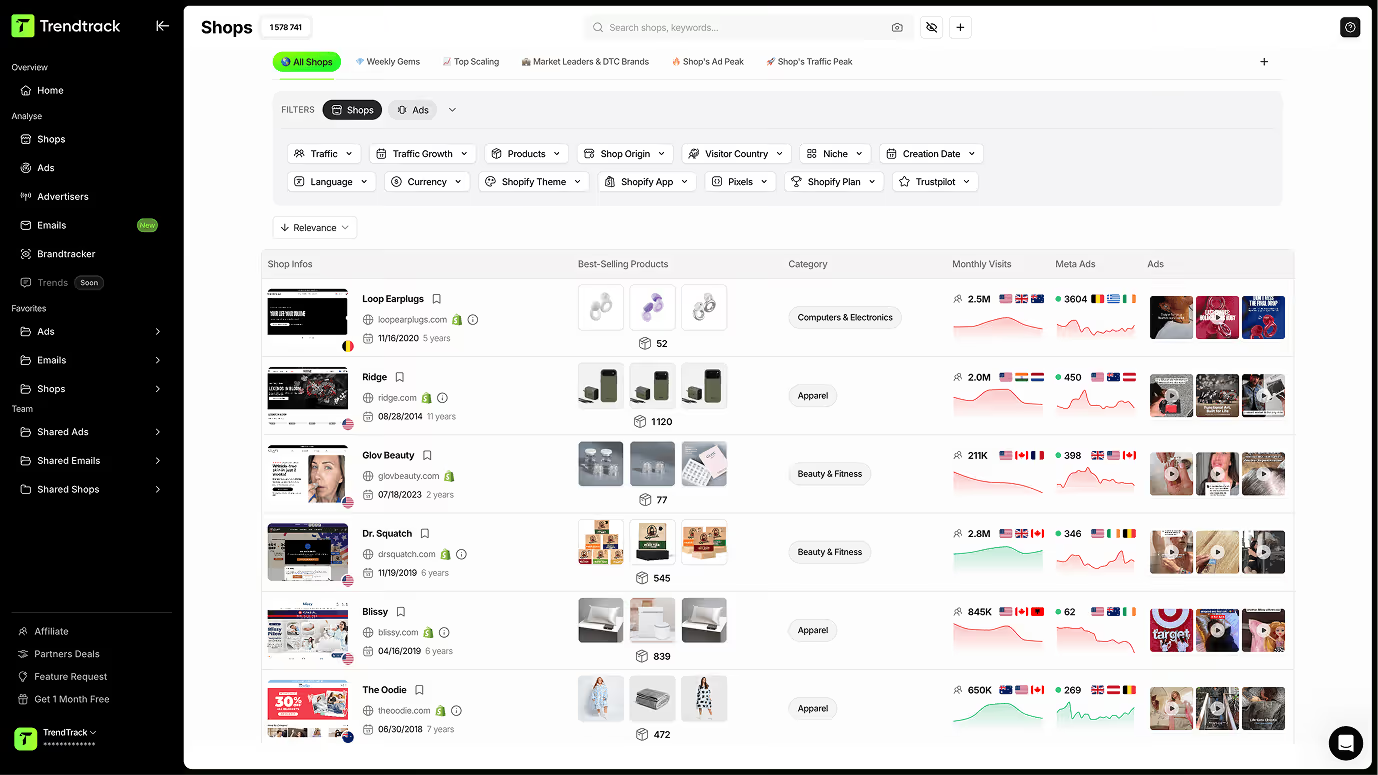
Trendtrack Connected to Claude via MCP
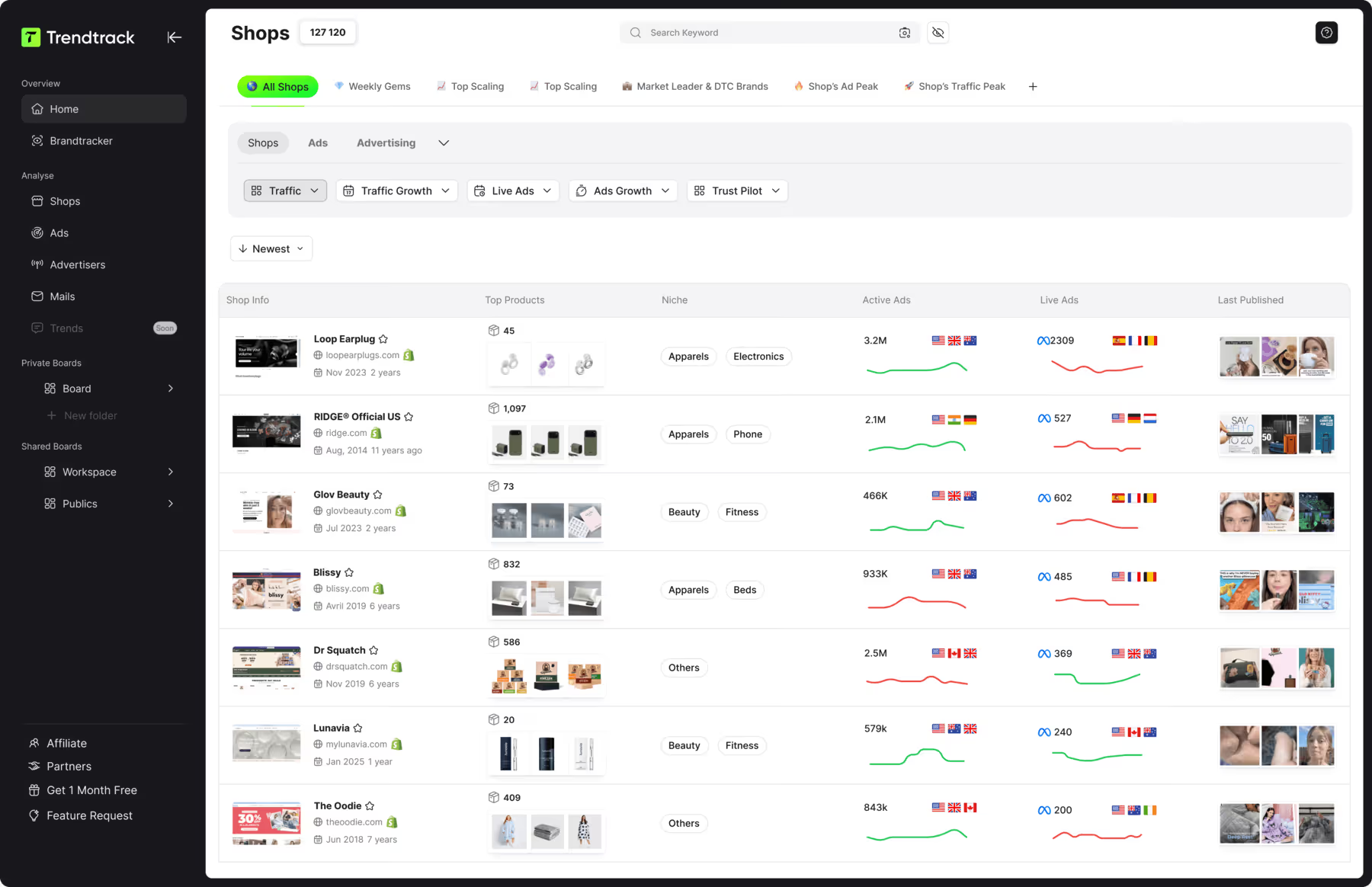
This is the most powerful and precise method available in 2026 for identifying winning products before your competitors have spotted them. Our Trendtrack platform connected to Claude via our MCP server allows you to query our real-time e-commerce database from a simple natural language conversation. Ask Claude to identify the products whose advertising demand is growing fastest in your niche over the past thirty days, to analyze the common characteristics of the best-selling products in your category, or to flag emerging opportunities that aren't yet saturated in your target geographic market. Claude queries our database and returns a structured, actionable analysis in seconds. Our browser extension complements this approach by enriching every ad you view with real-time performance data that immediately tells you whether the product is in an emergence or saturation phase. Documentation for connecting Trendtrack to Claude is available at docs.trendtrack.io/connect/claude.
Analyzing Meta and TikTok Ad Libraries
The Meta and TikTok ad libraries are free goldmines for identifying products that are the subject of active and intensive ad campaigns. A product generating numerous active ads over several weeks is one that e-commerce operators are investing real money into which constitutes indirect validation of its commercial demand. In the Meta ad library, filter by country, launch date, and category to identify the most recent and most active ads in your niche. On TikTok Creative Center, analyze product trends and top-performing creatives in your category to identify the products generating the most engagement.
Exploring Bestsellers on Marketplaces
Marketplaces like Amazon, AliExpress, and Etsy are valuable barometers of real consumer demand. The Amazon Bestsellers section in your target category gives you a direct view of the products selling best right now. The AliExpress Trending section identifies products whose orders are growing rapidly. And Etsy bestsellers reveal handmade and creative niche opportunities that generalist marketplaces haven't yet covered. Complement this exploration with Google Trends to verify the demand trajectory over the past twelve months and confirm that the identified product is in a growth phase not a decline.
Analyzing Trends on TikTok and Instagram
Social media is now the first indicator of emerging product trends before they appear in traditional tool data. A product generating strong organic engagement on TikTok or Instagram is often a potential winning product that hasn't yet been massively exploited by e-commerce operators. Monitor hashtags related to your niche, rapidly growing videos, and influencer accounts specialized in your category to identify early the products capturing consumer attention before their commercial potential is obvious to all market players.
Competitive Intelligence on High-Performing Shopify Stores
Analyzing Shopify stores that are succeeding in your niche is a valuable source of inspiration for identifying high-potential products. Tools like SimilarWeb allow you to estimate competitors' traffic and acquisition sources. Extensions like Koala Inspector reveal the installed apps, themes used, and sometimes the best-selling products of competing Shopify stores. This direct monitoring of players who have already validated a market allows you to identify products with proven demand and find your differentiation angle to position yourself effectively against them.
How to Acquire Your First Customers on Shopify?
Acquiring your first customers is the most critical and often most discouraging step for e-commerce operators who have just launched their Shopify store. A perfectly configured store, optimized product listings, and a professional design generate zero sales if nobody visits. Acquiring first customers requires a deliberate, methodical strategy that combines several complementary channels based on your budget, product, and target audience.
The first step before launching any acquisition campaign is to make sure your store is ready to convert. An insufficient conversion rate turns every dollar of ad spend into pure waste. Verify that your product listings are complete with quality photos, compelling descriptions, and customer reviews if you've already collected any. Make sure your purchase funnel is smooth and the checkout process contains no unnecessary friction. And confirm that your site is fully optimized for mobile browsing because more than 70% of online purchases are made from a smartphone in 2026.
The fastest method to generate your first qualified visitors to a Shopify store is paid advertising on Meta Ads and TikTok Ads. These platforms allow you to precisely target your audience based on demographic, behavioral, and interest criteria with an accessible starting budget. For your first campaigns, start with a test budget of $10 to $20 per day to collect data on which audiences and creatives perform best before gradually scaling your investment on the top-performing campaigns. Dynamic Product Ads on Meta are particularly effective for retargeting visitors who browsed your store without buying showing them precisely the products they viewed.
Organic SEO is a slower acquisition channel but infinitely more durable than paid advertising. By creating content optimized around the keywords your potential customers are searching for, optimizing the meta titles and meta descriptions of your product listings, and building your link profile, you progressively construct free organic traffic that generates sales with no marginal cost per visitor. On Shopify, the built-in blog is an underused tool that allows you to create SEO content directly from your admin interface without any additional tools.
Influencer marketing is a third acquisition source that is particularly effective for Shopify stores selling visual and lifestyle products. Identifying micro-influencers with between 5,000 and 50,000 followers in your niche with an engaged audience and sending them your product in exchange for authentic content is a strategy accessible even on a small budget. Micro-influencers often generate higher engagement rates than major celebrities, and their audience trusts their recommendations more because they feel more authentic and less commercial.
Organic social media content on TikTok, Instagram, and Pinterest can generate significant traffic to your Shopify store without any ad budget. On TikTok in particular, the content algorithm can propel a product presentation video to millions of views within hours if the content is engaging which can generate a spectacular traffic and sales spike with zero dollars invested in advertising.
Finally, leverage the power of word-of-mouth and customer reviews from your very first sales. Every satisfied customer is a potential brand ambassador who can recommend your store to their network. Set up from day one a post-purchase email sequence that requests a review and encourages social sharing. A referral program that rewards customers who recommend your store is also a particularly profitable acquisition strategy because the acquisition cost through word-of-mouth is structurally lower than paid advertising.
FAQ
How much does it cost to launch a Shopify store?
The launch budget for a Shopify store varies considerably depending on your business model and level of ambition. The irreducible minimum cost is the Shopify Basic plan at around $29 per month, which includes all essential features to get started. On top of that, you may add a paid theme between $150 and $350 if you don't want to use free themes, a custom domain name at around $15 per year, and the first essential apps some of which are free and others paid depending on your needs. For a dropshipping launch, the budget can start at under $100 for the first month. For a launch with owned inventory, you'll need to add the cost of purchasing your first stock, which can range from a few hundred to several thousand dollars depending on the products chosen.
Do you need technical skills to create a Shopify store?
No. Shopify was specifically designed to allow entrepreneurs without a technical background to create and manage a professional e-commerce store. The admin interface is intuitive and guided, the visual theme editor allows you to customize the design without code, and the thousands of tutorials available in Shopify's help center and on YouTube answer virtually every question that can arise during setup. For more advanced customizations that require code modifications, expert Shopify freelancers are available on platforms like Upwork or Fiverr at accessible rates.
What is the difference between Shopify and WooCommerce?
Shopify is a fully hosted and managed SaaS solution where maintenance, security, and updates are handled automatically. WooCommerce is an open-source WordPress extension that you install on your own server and manage yourself including hosting, updates, and security. Shopify is easier to use and maintain but less customizable than WooCommerce, whose technical flexibility is nearly unlimited. For e-commerce operators starting out without technical skills, Shopify is structurally better suited. For developers who want full control over their infrastructure and code, WooCommerce may be preferred.
Can you do dropshipping on Shopify?
Yes Shopify is the most popular platform for dropshipping in 2026. Apps like DSers, Zendrop, or Spocket integrate natively with Shopify and allow you to import products from AliExpress, US, or European suppliers directly into your store in just a few clicks. When an order is placed on your store, the app automatically forwards the order to the supplier, who ships directly to your customer. This automation of the ordering and fulfillment process is what makes dropshipping on Shopify particularly accessible for e-commerce operators who want to start without their own inventory or logistics.
How long does it take to make your first sales on Shopify?
The time to make your first sales on Shopify varies considerably depending on the acquisition channel chosen and the quality of the store. With paid advertising on Meta or TikTok, first sales can arrive within 24 to 72 hours of launching your first campaigns if the product, targeting, and creative are properly set up. With organic SEO, the timeline is much longer and can stretch between six and twelve months before generating enough organic traffic to produce regular sales. With influencer marketing or viral TikTok content, timelines can be very short but results are less predictable.
How do you choose the right Shopify apps for your store?
The choice of Shopify apps should be guided by your specific needs rather than the temptation to install every available app. Each additional app slightly slows down your store and generates an additional monthly cost. Start with the apps that are truly essential for your business model. For email marketing, Klaviyo is the reference for Shopify stores that want to automate their sequences and precisely segment their audience. For customer reviews, Judge.me or Loox are accessible and well-integrated solutions. For product research and competitive intelligence, our Trendtrack platform connected to Claude via our MCP server is the most comprehensive tool available for identifying winning products and analyzing your market in real time.
Is Shopify suitable for selling in the US and internationally?
Yes Shopify is perfectly suited for selling in the US and across international markets. The platform natively supports multi-currency and international tax management with automatic calculation tools based on the customer's delivery country. The main payment methods including Visa and Mastercard, PayPal, and contactless payments are all supported. Privacy compliance is facilitated by dedicated apps available in the Shopify marketplace. And Shopify's customer support is available in multiple languages for merchants who need assistance in their native language.
Useful Sources:

.avif)
Ready to build a million-dollar brand?
.avif)