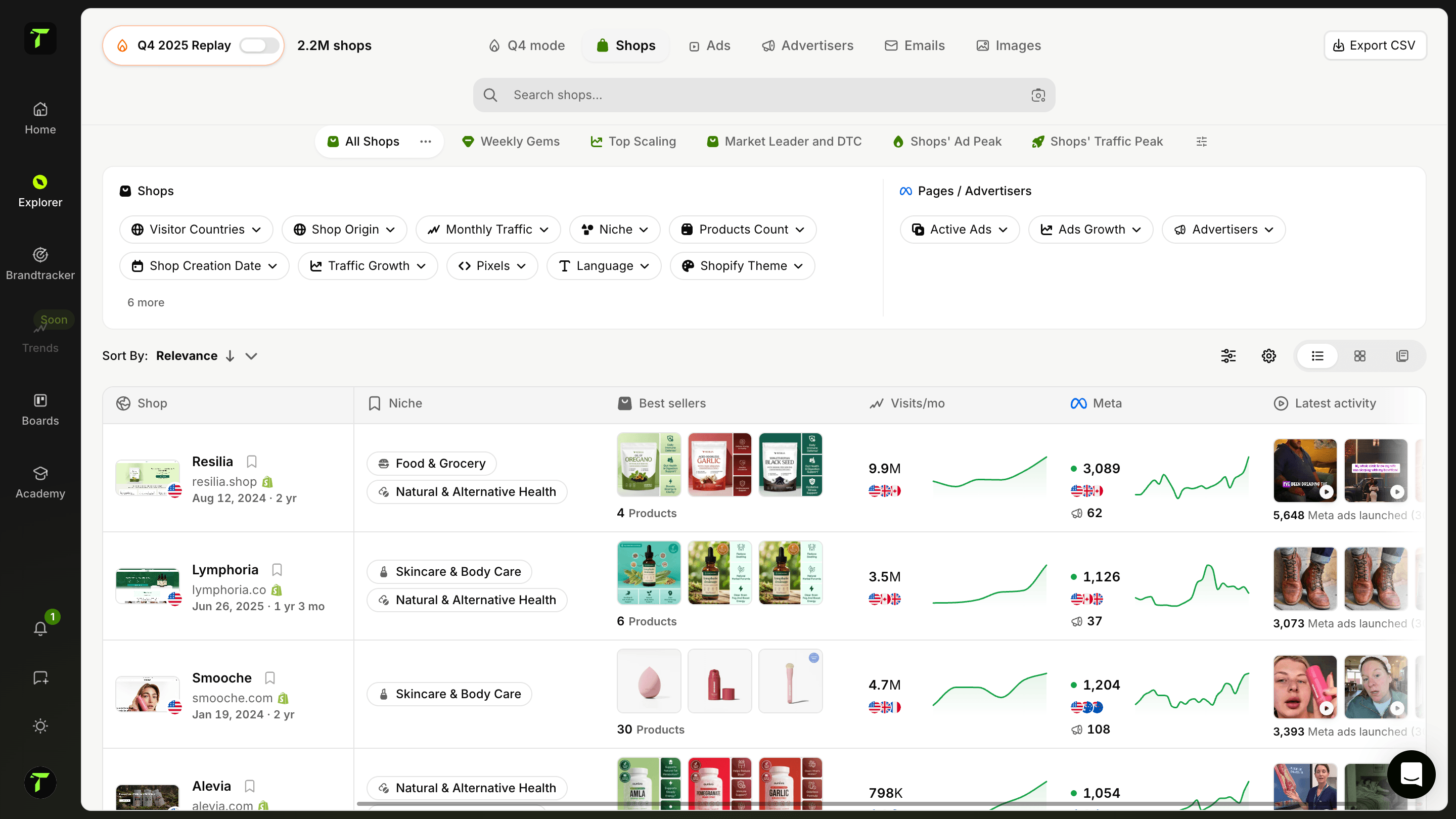
BuiltWith Review 2026: Price, Features



BuiltWith is one of the oldest names in web technology detection, and for a long time it was the default answer to a simple question: what is this website built with? Enter a URL, get the full stack, analytics, ecommerce platform, payment providers, marketing tools, hosting. The database tracks over 127,000 technologies with decades of history, and that depth remains genuinely unmatched.
What has changed in 2026 is the price. BuiltWith applied a substantial restructure across all tiers: Basic moved to $295, Pro to $495 and Team to $995, with a new Team Ultra tier above them. For anyone who remembers the old pricing, the jump is considerable, and it reframes the buying decision entirely.
There is also a limit that the pricing page does not make obvious, and it is the single most important thing to understand before subscribing. Basic at $295 a month covers only two technologies, which means a target list like “Shopify stores running Klaviyo and Yotpo” already exceeds the plan. In practice, Pro at $495 a month is the real entry point for anyone doing regular prospecting work, not Basic. The advertised starting price and the usable starting price are two different numbers.
That said, the free tier remains useful. Individual website lookups are free forever, which covers the occasional “what is this site running” question without any subscription at all.
This review covers what BuiltWith actually does, its features and data coverage, the full 2026 pricing breakdown with the plan limits that matter, its real limitations, who it is genuinely worth it for, and the alternatives to compare before committing nearly $500 a month.
What is BuiltWith?

BuiltWith is a website technology profiler and lead generation database. Its core function is detection: it scans a website’s code, scripts, headers and DNS records to identify every technology running on it, then stores that information in a searchable database covering hundreds of millions of domains. Enter a URL and you get the ecommerce platform, the analytics stack, the advertising pixels, the email tool, the payment providers, the CDN, the hosting and dozens of other signals.
The scale is where the product earns its reputation. BuiltWith tracks more than 127,000 technologies with 41 years of history, which no email finder or generic B2B database comes close to matching. Technographic depth across tens of thousands of web technologies and hundreds of millions of sites is its core strength, and it is the reason the tool has stayed relevant for well over a decade.
The database works in both directions, and that reverse lookup is what people actually pay for. Instead of asking “what does this site run”, you ask “which sites run this”, and you get a list. Every Shopify store in Germany using a specific review app, every site that installed HubSpot in the last 90 days, every WooCommerce store that just dropped a competitor’s plugin. That is technographic prospecting, and it is BuiltWith’s real product.
Who uses it follows from that. SaaS and app vendors target users of a competing tool. Agencies build lists filtered by platform and stack. Sales teams run signal-based outbound on technology changes. Investors and analysts use it for market share research on technology adoption.
What it is not is a contact database. BuiltWith tells you which companies run what. Finding the person to email is a separate purchase.
What are BuiltWith features?
BuiltWith is built around one database and several ways to query it. Here is what each layer actually delivers.
Technology lookup
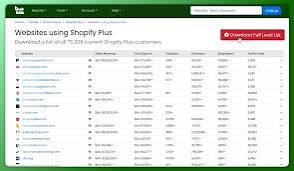
The feature everyone knows. Enter any URL and BuiltWith returns the full technology profile of that site: ecommerce platform, CMS, analytics, advertising pixels, email and marketing automation, payment processors, CDN, hosting, frameworks, widgets and server technologies. Individual website lookups are free forever, which is why the tool is so widely used by people who have never paid for it. The free tier allows 10 detailed lookups a day, with unlimited detailed lookups available on a separate Advanced subscription.
Technology lists and reverse lookup
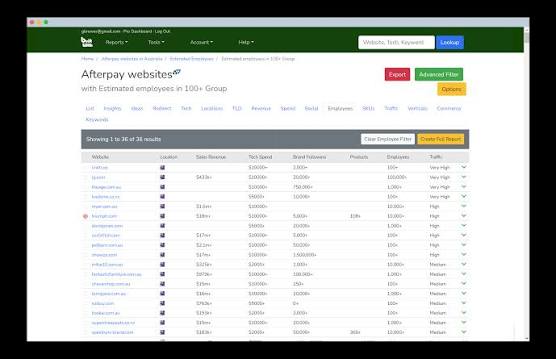
This is the commercial core. Instead of starting from a site, you start from a technology and get every site using it. Filters let you narrow by country, traffic rank, vertical, spend bracket and the presence or absence of other technologies. This is what makes the tool a prospecting engine rather than a curiosity: “every Shopify store in France also running Klaviyo but not running a loyalty app” is a usable list in minutes. Note the plan limits: Basic covers only two technologies, and unlimited technologies start on Pro.
Trends and market share reports
BuiltWith publishes adoption data over time for every technology it tracks: how many sites use it, where they are, how fast it is growing or declining, and which tools it is most often paired with. For product marketing, competitive analysis and investor research, this historical depth is the feature that justifies the subscription on its own, because almost nobody else has decades of retained data.
Keyword and retail reports
Beyond technologies, BuiltWith indexes keywords found on sites and produces retail-specific reports covering ecommerce metrics such as estimated spend and product counts. Basic includes 2 keywords and 2 retail reports, while Pro and Team provide unlimited access to these features.
API, exports and integrations
API access is included on the Team plan, with exports and CRM integrations available on paid tiers so lists can feed directly into a sales workflow. Pro and Team are otherwise largely identical, with the difference coming down to logins, which matters only if several people need their own access.
What is the price of BuiltWith in 2026?
BuiltWith publishes three public plans, billed monthly or annually, with a discount on yearly billing and cancellation at any time. The free single-site lookup remains available for life, which covers occasional use without any subscription.
| Basic | Pro | Team | |
|---|---|---|---|
| Price | $295 /month (≈ €267) | $495 /month (≈ €448) | $995 /month (≈ €900) |
| Positioning | Fixed-scope requirements | Most popular, all features | Enterprise access |
| Technologies | 2 | Unlimited | Unlimited |
| Keywords | 2 | Unlimited | Unlimited |
| Retail reports | 2 | Unlimited | Unlimited |
| System logins | 1 | 1 | Unlimited Pro logins |
| CRM integration | ✅ | ✅ | ✅ |
| Single-site lookups | Free for everyone, for life |
A fourth tier, Team Ultra, exists above Team and is quoted on request.
Three things matter more than the headline numbers. First, the Basic plan is a trap for most buyers. Two technologies means a single pairing: “Shopify + Klaviyo” and you are already at your limit. Any realistic ICP combining three or four tools makes Basic unusable, which pushes the real entry price to $495 on Pro.
Second, Pro and Team are functionally identical apart from logins. If one person runs the research, Pro is enough and the $500 difference buys you nothing. Team only makes sense when several people need their own access.
Third, these prices reflect a significant 2026 increase across all tiers. If you are comparing against figures you remember from a year or two ago, they no longer apply, and the gap with cheaper alternatives has widened considerably.
What are the limitations of BuiltWith?
BuiltWith’s technographic depth is real, and most of its weaknesses come down to what it costs and what it deliberately leaves out.
The Basic plan is unusable for most buyers. At $295 a month it covers only two technologies, so a single pairing like “Shopify and Klaviyo” already exhausts it. An ICP combining four or five technologies forces you onto Pro at $495 a month, which makes the advertised entry price misleading.
The 2026 price increase was steep. Every tier was raised substantially in the restructure, with Pro moving from $200 to $495. The product did not change proportionally, so the value question is a fair one.
No contact data. BuiltWith tells you which company runs what, never who to email. Outbound teams pay for a second enrichment tool on top, and that combined cost is the real figure to compare against alternatives.
Detection has blind spots. Technologies loaded server-side, through a tag manager or behind a proxy are often missed. False positives also happen when an old script stays on a page long after the tool was dropped. Directionally excellent, occasionally wrong on a specific site.
No free trial of the paid plans. Individual lookups are free forever, but there is no trial of the subscriptions, so testing the list-building side means committing to at least one month.
Pro and Team are nearly identical. The difference comes down to logins, so the extra $500 buys multi-user access and little else.
Interface and exports feel dated. The data is excellent, the experience around it has aged, and workflows often end in a spreadsheet rather than inside the tool.
Who should use BuiltWith in 2026?
BuiltWith is a specialist tool, and the answer depends entirely on whether technology is the core of your targeting or just one filter among many.
It is worth it for SaaS and app vendors whose ICP is defined by a technology. If your product replaces or complements a specific tool, the ability to list every site running that tool is the whole sales strategy. Knowing which stores installed a competing app last month, or which ones just dropped it, turns a cold list into a timed opportunity. For this use case, nothing else on the market offers comparable depth, and $495 a month on Pro is easily justified by one closed deal.
It is worth it for agencies and integrators. A Shopify agency, a HubSpot partner or a Webflow studio can build prospect lists filtered by platform, country and surrounding stack in minutes. The same data also qualifies inbound leads before a call: knowing a prospect’s full stack before the first meeting is a genuine advantage.
It is worth it for market research and investment analysis. The historical adoption data, with decades of retained records, answers questions no other source can: how fast a technology is growing, where it is losing share, and which tools it is displacing. For product marketing and due diligence, that alone can justify the subscription.
It is not worth it if technographics are one criterion among several. If your prospecting mixes industry, headcount, funding and job titles, a general B2B platform covers more of your workflow for less money, and you will still need a contact tool alongside BuiltWith.
It is not worth it for occasional lookups either. If you simply want to know what a site runs once a week, the free tier already does that, and paying $295 changes nothing.
BuiltWith Review: our final verdict
BuiltWith remains the reference for website technology detection, and that position is earned rather than inherited. More than 127,000 technologies tracked with 41 years of history gives it a depth no generic B2B database approaches, and the free lifetime lookup is still one of the most useful free tools on the web. On data quality, there is little to criticise.
The reservations are commercial. The 2026 restructure raised every tier substantially, and the $295 Basic plan is the wrong purchase for almost everyone: two technologies means one pairing, and any realistic targeting exceeds it immediately. The honest entry price is $495 on Pro, and that number should be the starting point of your comparison, not the one on the pricing page. Add a contact enrichment tool, since BuiltWith provides none, and the real monthly cost of a working prospecting setup lands well above $600.
Our verdict: an excellent tool for a narrow, well-defined job. Buy it if technology is the backbone of your targeting, if you sell a product that replaces or complements a specific tool, or if you need historical adoption data for market research. In those cases it has no serious equivalent and the price is defensible.
Skip it if technographics are one filter among several, if you prospect ecommerce brands and need movement rather than stack composition, or if you simply want to check a site now and then. The free lookup already covers that last case, and the alternatives cover the others at a fraction of the cost.
The one mistake to avoid is subscribing to Basic to “try it”. Without a trial on paid plans, that month tells you nothing except that two technologies are not enough.


Ready to build a million-dollar brand?