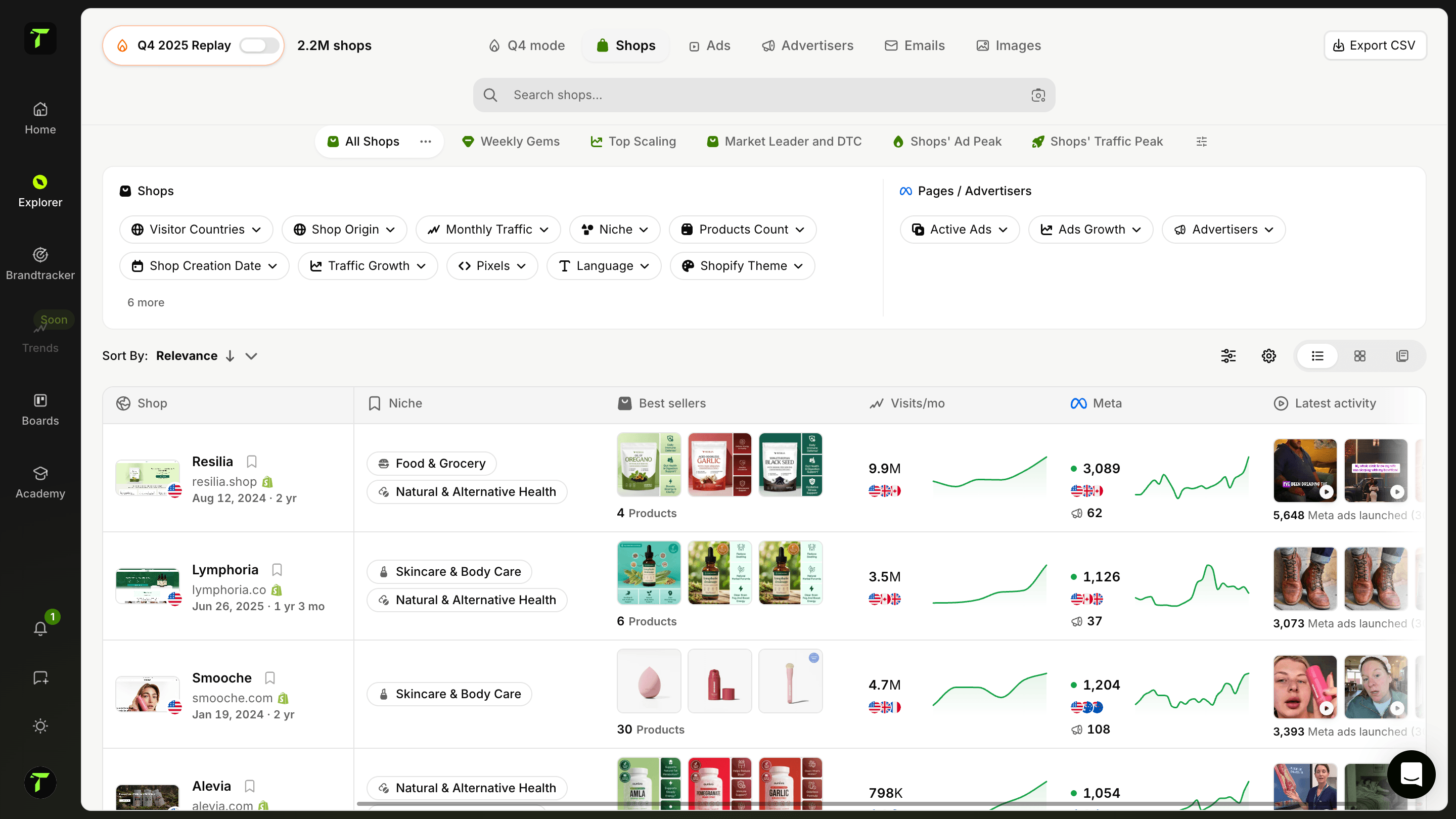
Shopify Store Traffic Checker
Check how much traffic any Shopify store gets. Enter a competitor's URL and see its estimated monthly visits and trend.
What is a Shopify store traffic checker?
A Shopify store traffic checker estimates how many people visit an online store every month. Shopify never publishes the analytics of its merchants: only the owner of a store can see its sessions in the admin. A traffic checker fills that gap from the outside, so you can size up any store without access to its dashboard.
Traffic is the first number to look at when you study a competitor. A store with hundreds of thousands of monthly visits is buying ads, ranking on Google or building a brand that works. A store with a few hundred visits is still testing. Trendtrack's Shopify Store Traffic Checker gives you that number in seconds, along with the direction it is heading.
How does the Shopify Store Traffic Checker work?
Enter the URL of a Shopify store, such as gymshark.com, and the tool returns its estimated monthly visits and its traffic trend over the last three months.
For each store, you see:
- its estimated number of visits per month;
- how its traffic changed compared with three months ago, as a percentage;
- whether Trendtrack confirms it runs on Shopify.
You can add up to five stores and compare them side by side in a single check. Checks are free, need no account, and every result can be shared with a link.
How Trendtrack estimates store traffic
Trendtrack follows ecommerce stores and records their traffic month after month. The checker reads those records, so the figures come from the same data Trendtrack users rely on to research competitors.
- Monthly visits are an estimate, rounded so they read at a glance. Use them to judge the size of a store and to compare stores with each other, not as an exact count.
- The trend compares the latest month with the month three months earlier. It only appears when a store has enough history to make the comparison meaningful.
- New or very small stores may not be tracked yet. In that case the tool tells you so instead of guessing.
How to use the Shopify Store Traffic Checker
- Enter the URL of the store you want to analyze. The domain is enough: no need for https:// or a product page.
- Add up to four more stores to compare your direct competitors at once.
- Click Check Traffic.
- Read the estimated monthly visits and the three-month trend of each store.
- Copy the link to share the comparison with your team or a partner.
Compare stores that sell to the same audience. Five competitors in the same niche tell you more than one famous brand next to four unknown stores.
Why check the traffic of a competitor's store?
Traffic tells you where a market stands before you invest in it:
- Validate a niche: if several stores in the niche attract solid traffic, there is demand for the product.
- Size your competitors: know which stores dominate and which ones are still small enough to catch.
- Spot the stores that are growing: a store whose traffic is climbing fast is usually doing something right with its product, its ads or its offer.
- Set realistic goals: the traffic of established stores gives you a benchmark for your own growth.
How to read the results
The number of visits matters, but the trend often matters more. A store with average traffic that grew strongly over three months is a better lead than a large store that has been flat for a year.
- High traffic, rising trend: a store in full growth. Study its products, its ads and its offer now.
- High traffic, falling trend: a leader losing momentum. Its customers may be open to a new offer.
- Low traffic, rising trend: a young store taking off, often with a recent winning product.
- Low traffic, flat trend: a store still testing, or a niche with limited demand.
Keep seasonality in mind. Fashion, gifts and outdoor products have strong seasonal peaks, and a three-month trend can reflect the season as much as the store itself.
Why traffic is not revenue
Two stores with the same traffic can have very different sales. Conversion rate, average order value, repeat purchases and the share of paid versus free traffic all change the result. A store with modest traffic and a high average order value can earn more than a store with twice its visits.
Use traffic as a signal that focuses your research, then look at what the store sells, how it prices its products and how it acquires its visitors before drawing conclusions.
From traffic to your own strategy
Once you have found stores worth studying:
- List the stores with the strongest traffic or the fastest growth in your niche.
- Look at their best-selling products, their prices and their offers.
- Check which ads they run and on which platforms.
- Identify what you can do better: a product angle, an offer, a market they do not cover.
- Check their traffic again in a few weeks to see whether the trend holds.
Knowing how much traffic a store gets is the start of your competitive research, not the end of it.
Go further with Trendtrack
The free Shopify Store Traffic Checker shows the estimated monthly visits and trend of up to five stores. Trendtrack reveals the full picture: the traffic history month by month, top pages, top keywords, traffic sources, ads, best-selling products and the apps each store uses.
Continue with the Ecommerce Competitor Analysis to get a complete report on a store, and with the Competitor Ads Finder to see every ad a store is running.
Frequently asked questions
Can't find the answer to your question?
Contact us by clicking here.
TrendTrack is the ecommerce intelligence platform built around one obsession: giving you the most accurate, most current market data available. Every store, every ad, every mail, every spend signal, updated every 24 hours. Because knowing what's winning in ecom right now is only useful if "right now" actually means right now.
Most tools show you what was working last month. We show you what's working today. Our infrastructure scans the entire Shopify and Meta ecosystem daily, 2 to 3 million new ads indexed every 24 hours. No delays, no editorial filters, no subjective picks. Just the market, live.
Anyone who makes ecom decisions and can't afford to be wrong. Beginners validating a product before spending a dollar. Operators whose ads are burning out and need fresh angles. Brands and agencies that need to see market shifts before they happen. If your decisions depend on knowing what's actually working right now, this is your tool.
It's one of the best ways to de-risk your first moves. Instead of guessing, you can see exactly which products are gaining traction, which ads are scaling, and which niches are heating up, all in real time. You're not betting on a hunch. You're betting on live market signals.
Yes. The fastest way to find a new angle is to see what's already working, across your niche and beyond. TrendTrack gives you access to millions of active creatives, ranked by performance signals, updated daily. The next winning hook is already running somewhere. We help you find it.
It depends on your plan. Each plan comes with its own access levels and usage capabilities. Before subscribing, we recommend checking our pricing page to make sure you pick the plan that fits your needs.
Yes. No commitment, no lock-in. Cancel directly from your account whenever you want.
Ready to build a million-dollar brand?