The Best Chrome Extensions for Shopify in 2026



Opening a competitor’s store tells you what they sell. It tells you nothing about how much they sell, what drives their traffic, or which products actually carry the business. That gap is where Chrome extensions earn their place. So which Chrome extensions genuinely help Shopify sellers in 2026?
Four criteria separate useful tools from browser clutter.
Data depth first. Plenty of extensions identify the theme a store runs and stop there. The useful ones surface traffic, revenue estimates, best sellers and advertising activity in the same panel.
Workflow integration next. An extension that forces you back into a dashboard for every answer defeats its own purpose. The point is getting information where you already are, which is the store page itself.
Accuracy matters more than feature count. An extension producing confident but wrong revenue figures is worse than one producing nothing, since you build decisions on it.
Scope finally. Some extensions solve one narrow problem perfectly. Others cover the full research cycle. Both have their place, provided you know which you are installing.
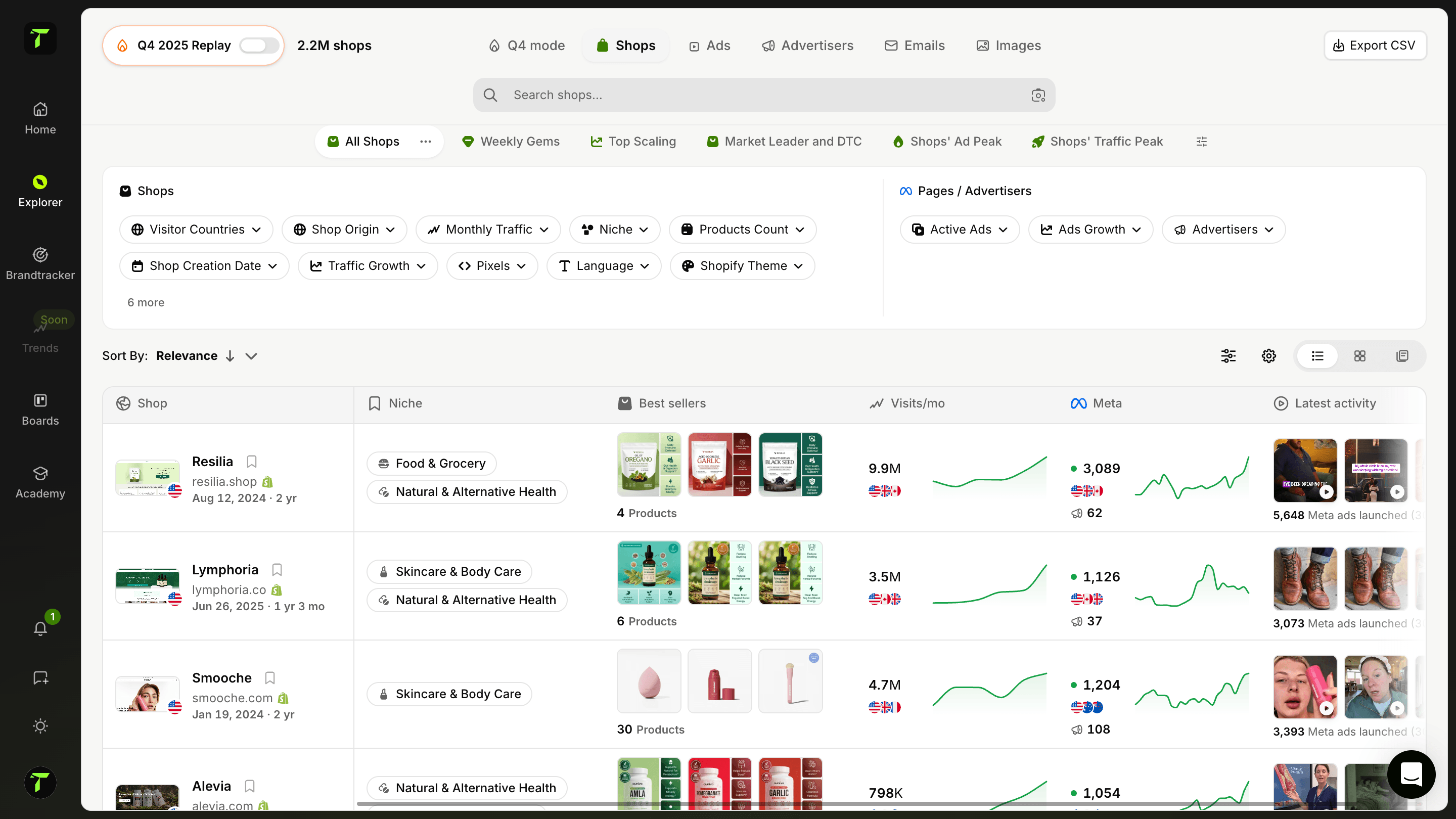
Leading our ranking the Trendtrack Chrome extension reveals a store’s monthly visits, its theme, its best sellers, its estimated revenue, its social accounts and its active advertising, all layered directly over the page you are browsing. Available at app.trendtrack.io/en/sign-up, it turns any competitor’s storefront into a research surface without leaving it.
In this article we reveal the 6 best Chrome extensions for Shopify in 2026.
1. Trendtrack

The Trendtrack Chrome extension tops this ranking because it collapses an entire research workflow into the page you are already looking at. Available at app.trendtrack.io/en/sign-up, it turns any Shopify storefront into a source of competitive intelligence without a single tab switch.
The first capability is traffic visibility. Open a competitor’s store and the extension surfaces its monthly visit volume immediately. That single number reframes everything else you see: a beautifully built store drawing four thousand monthly visits tells a very different story from one drawing four hundred thousand.
The second is revenue estimation. The extension models projected turnover from the signals it can observe, which lets you distinguish a store generating real volume from one that merely looks established.
The third is best seller identification. Rather than guessing which products carry the business, you see which ones actually move. This is the fastest route from browsing a competitor to understanding their catalogue economics.
The fourth is theme detection. Knowing which theme a store runs matters practically rather than academically, since it tells you what is achievable on your own budget and what required custom development.
The fifth is social account mapping. The extension surfaces the brand’s connected profiles, which shows you where their audience actually lives and which channels they have invested in.
The sixth, and the most strategically valuable, is advertising visibility. You see what the store is currently running, which connects their storefront to their acquisition strategy. A product featured prominently on the homepage but absent from their ads is telling you something, and so is the reverse.
Taken together, these six layers answer the question that matters when you open a competitor’s store: is this working, and how?
The practical advantage is the absence of friction. Research that normally means opening a traffic tool, an ad library, a theme detector and a product scraper happens in one panel, on the page itself. That difference is the reason extensions exist at all.
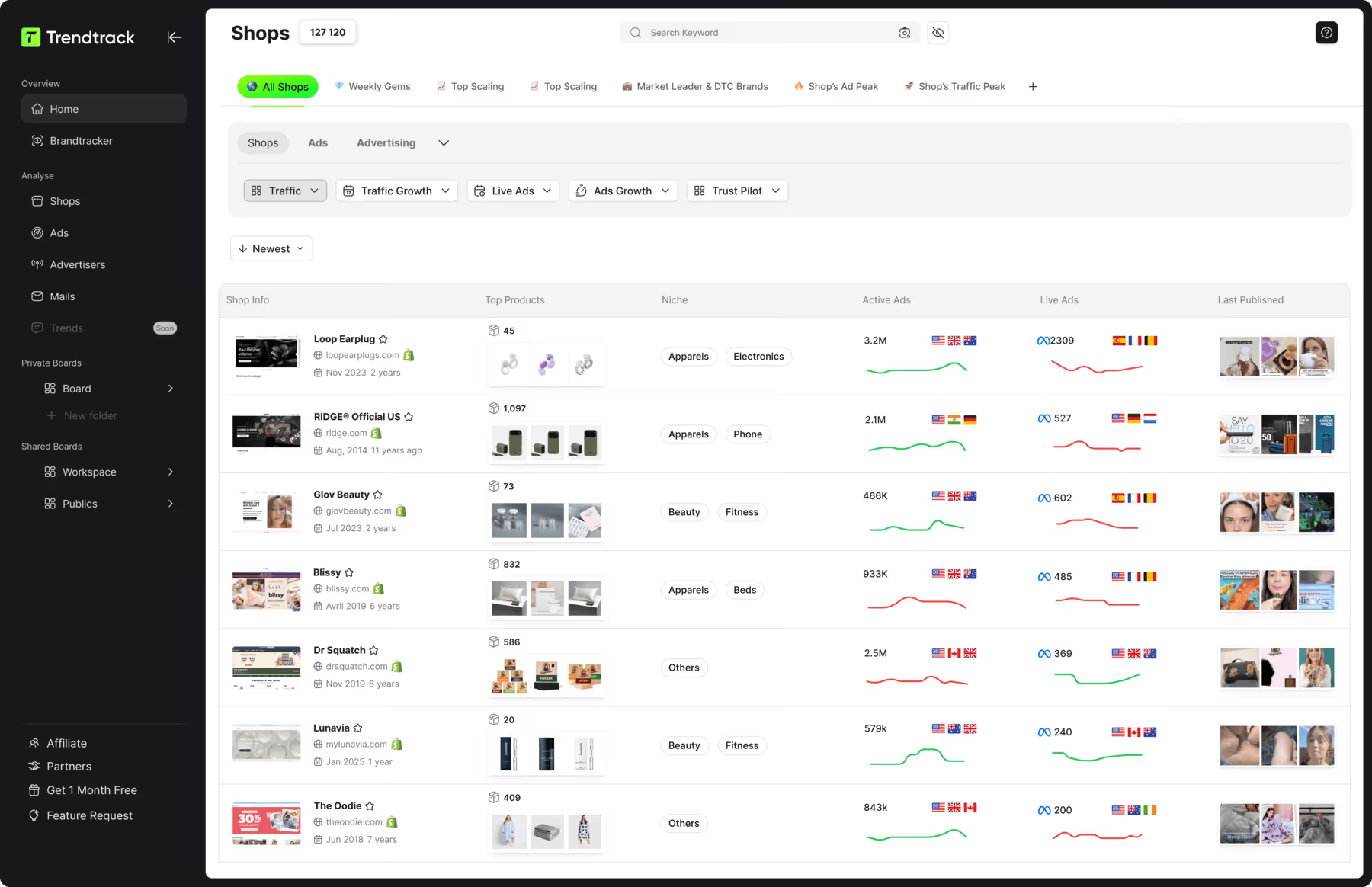
The extension connects to the full Trendtrack platform, which preserves full ad history across Meta, TikTok and Google, indexes 95 million TikToks and refreshes 700,000+ brand profiles every 24 hours.
Get started at app.trendtrack.io/en/sign-up.
2. Koala Inspector

Koala Inspector ranks second as one of the most widely installed Shopify extensions, and its popularity rests on doing one thing comprehensively: breaking down the technical composition of any store you visit.
Its first strength is app detection. The extension identifies which Shopify apps a store runs, which is genuinely useful information. If a competitor uses a particular upsell app, review widget or subscription tool, you learn what they considered worth paying for monthly.
That insight shortcuts a decision most sellers make blindly. Rather than testing a dozen apps yourself, you see what established stores in your category actually deploy.
Its second strength is theme identification, including the theme name and whether it has been customized. Combined with app detection, this gives you a realistic picture of what building something comparable would cost.
Its third strength is product data extraction. The extension surfaces pricing, variants, inventory signals and product details across a catalogue, with export options for further analysis.
Its fourth strength is store tracking over time. You can follow specific stores and receive updates when they add products or change their setup, which turns a one-off inspection into ongoing monitoring.
Its fifth strength is its free tier, which covers basic inspection without payment. For someone testing whether competitor research changes their decisions, that removes the barrier entirely.
Three limitations explain its position.
Its focus sits on technical composition rather than performance. You learn what a store is built with, not whether it works. Traffic volume, revenue estimates and advertising activity fall outside its scope, which means you can identify a beautifully equipped store that sells almost nothing.
Its data on smaller stores thins noticeably. App and theme detection works reliably, but product-level insight varies with how a store is configured.
Its free tier limits arrive quickly on active research, with inspection counts capped per day.
Koala Inspector suits sellers wanting to understand how a store is built. For understanding whether it performs, Trendtrack available at app.trendtrack.io/en/sign-up surfaces traffic, revenue estimates and live advertising on the same page.
3. Shopify Theme Detector
Shopify Theme Detector ranks third as the most narrowly focused extension in this list, and that focus is both its argument and its ceiling.
Its purpose is singular: identify the theme powering any Shopify store you visit, along with its version and whether it has been customized.
Its first strength is speed. One click returns an answer, with no account creation, no dashboard and no configuration. For a question you ask occasionally, that simplicity beats a heavier tool every time.
Its second strength is accuracy on its one task. Because the extension does nothing else, its detection works reliably across both free and premium themes, including on stores that have modified their templates significantly.
Its third strength is being completely free with no usage caps. You inspect as many stores as you want, which suits a design phase where you examine dozens of references in a session.
Its fourth strength is practical decision support. Knowing a store you admire runs a 350 dollar premium theme rather than a 40,000 dollar custom build changes what you believe is achievable on your own budget. That single data point has redirected many redesign projects.
Three limitations define its position.
Its scope stops entirely at the theme. No traffic data, no revenue estimates, no product insight, no advertising visibility. You learn what a store is built on and nothing about whether it works.
That distinction matters more than it appears. A well-designed store can convert poorly, and copying its theme replicates the appearance without the underlying performance.
Its customization detection has limits. The extension flags that a theme has been modified, but it cannot tell you what was changed or how much the work cost.
And theme detection has become a commodity feature. Both Trendtrack and Koala Inspector include it alongside considerably more data, which makes a dedicated extension redundant if you already run either.
4. Shopify Store Inspector
Shopify Store Inspector ranks fourth as a lightweight alternative to Koala Inspector, covering similar ground with a simpler interface and a lower learning curve.
Its first strength is immediacy. The extension surfaces a store’s core composition without requiring an account, a subscription or any setup. You install it and it works, which removes the friction that stops many sellers from adopting research tools at all.
Its second strength is catalogue visibility. It extracts product listings with their pricing, variants and availability signals, letting you examine a competitor’s range systematically rather than clicking through it page by page.
Its third strength is app and theme detection, covering the same technical ground as its better-known competitor without the interface complexity.
Its fourth strength is export capability, letting you pull product data into a spreadsheet for comparison across several stores. For anyone building a competitive matrix across a category, that saves meaningful time.
Its fifth strength is its minimal resource footprint. Lighter extensions matter more than people assume, since browsers running a dozen tools slow noticeably.
Three limitations explain its ranking.
Its data depth trails the more established options. Where Koala Inspector maintains ongoing store tracking and historical records, this extension delivers a snapshot and stops there.
Its performance blind spot is the structural one it shares with every technical inspector in this list. You see what a store sells and how it is built, with no indication of whether anyone buys. Traffic, revenue and advertising activity all fall outside its reach.
That gap matters practically. Spending an afternoon modelling your catalogue on a competitor who generates almost no revenue is a real risk when your tools only show composition.
Its update cadence has also been inconsistent, with periods where detection broke on Shopify platform changes before being patched.
5. Similarweb

Similarweb ranks fifth as the only general-purpose web analytics extension in this list, and its inclusion rests on one capability the Shopify-specific tools largely lack: traffic data.
Its first strength is traffic volume estimation. Open any site and the extension surfaces estimated monthly visits, which immediately reframes what you are looking at. A polished store drawing minimal traffic tells a very different story from one drawing hundreds of thousands of visits.
Its second strength is traffic source breakdown. You see the approximate split between organic search, paid, direct, social and referral. For a competitor relying heavily on paid acquisition, that composition tells you their growth depends on budget rather than compounding assets.
Its third strength is geographic distribution, showing which countries drive their visits. Useful when assessing whether a competitor genuinely operates in your market or merely appears to.
Its fourth strength is engagement metrics, covering bounce rate, pages per visit and session duration. These give a rough read on whether traffic converts into interest.
Its fifth strength is its breadth beyond Shopify. The extension works on any website, which makes it useful well beyond e-commerce research.
Three limitations explain its position.
Its data accuracy varies considerably with site size. Similarweb models traffic from panel data and partnerships, which works reasonably on large sites and degrades sharply on smaller ones. For stores below roughly fifty thousand monthly visits, treat the figures as directional at best.
That caveat matters enormously in e-commerce research, where the stores worth studying are frequently the mid-sized ones its model handles least reliably.
Its Shopify blind spot is structural. The extension knows nothing about products, best sellers, themes, apps or advertising. It tells you how much traffic a store receives without telling you what it sells or how.
Its free tier restricts the most useful views, with full traffic source breakdowns and historical data sitting behind a subscription that starts well above the other tools here.
6. Loox Reviews Inspector

Loox Reviews Inspector closes this ranking as the most specialized tool of the group, built around a single research question: what are customers actually saying about a product?
Its purpose is to surface and extract review data from Shopify stores running review apps, with Loox integration at its core.
Its first strength is review extraction at volume. Rather than scrolling through hundreds of individual reviews, you pull them systematically for analysis. For validating a product before committing to it, this gives you something no traffic figure can: the actual customer experience.
Its second strength is sentiment visibility. Reading a competitor’s negative reviews on a product you are considering tells you precisely where it fails. Sizing issues, shipping complaints, quality problems and misleading descriptions surface immediately, and each one is a gap you can address in your own offer.
Its third strength is photo review access. User-generated images reveal how a product actually looks outside its studio photography, which frequently differs enough to explain a return rate.
Its fourth strength is velocity signals. Review accumulation over time indicates sales momentum, which offers a rough proxy for whether a product is currently moving.
Its fifth strength is its free availability for basic extraction.
Three limitations explain its final position.
Its scope is extremely narrow. The extension does one thing, which means it complements a research stack rather than forming one. It tells you nothing about traffic, revenue, themes, apps or advertising.
Its dependency on review apps creates coverage gaps. Stores using native Shopify reviews, alternative apps or no review system at all return nothing, which excludes a substantial share of the catalogue you might want to research.
Its review authenticity warrants caution. Imported reviews, incentivized reviews and outright fabrications are common enough in e-commerce that volume alone proves little. Read the content rather than counting the stars.
Loox Reviews Inspector suits sellers at the product validation stage who want to understand customer experience before sourcing. For full competitive research covering traffic, best sellers, revenue estimates and live advertising, Trendtrack available at app.trendtrack.io/en/sign-up operates at a different scope.
Useful Resources:

.avif)
Ready to build a million-dollar brand?
.avif)