Ecommerce Keyword Search: Complete guide for beginners



In e-commerce, traffic doesn’t come from luck it comes from visibility. And visibility starts with one thing: the right keywords.
Think about it. Every time a potential customer searches on Google, Amazon, or any marketplace, they’re typing a specific intent. A problem. A need. A product they’re ready to buy. If your store isn’t aligned with those search terms, you’re invisible no matter how good your products are.
This is where ecommerce keyword research becomes a game changer.
Keywords are not just random words. They are the bridge between your products and your customers. They help search engines understand what you sell, and more importantly, they determine whether your store appears or disappears in search results.
But here’s the challenge: most beginners either target keywords that are too competitive, too vague, or completely misaligned with what their audience is actually searching for. As a result, they generate traffic that doesn’t convert or worse, no traffic at all.
A strong keyword strategy allows you to:
- Identify what your customers are actively searching for
- Rank your product pages on Google and marketplaces
- Attract high-intent visitors ready to buy
- Build a scalable SEO and acquisition strategy
- Outperform competitors who rely on guesswork
And in today’s competitive e-commerce landscape, this is not optional it’s a necessity.
The good news? You don’t need to be an SEO expert to get started. With the right framework, tools, and mindset, you can quickly learn how to find the most profitable keywords, understand search intent, and build a strategy that drives consistent traffic and sales.
In this complete beginner’s guide, you’ll learn exactly what ecommerce keywords are, how they work, and most importantly how to find and use them to grow your online store step by step.
What Are E-Commerce Keywords and Why Do They Matter?
In e-commerce, everything starts with a search. Before a customer buys a product, they type words into a search bar on Google, Amazon, or any marketplace. These words are called e-commerce keywords, and they are the foundation of how your products get discovered online.
E-commerce keywords are specific words or phrases that users enter when searching for a product, solution, or information related to a purchase. They act as signals that help search engines and marketplace algorithms understand what your product is about and when to display it.
For example, a user searching for “black running shoes” has a much clearer intent than someone typing just “shoes.” The more precise the keyword, the easier it is for your store to match that intent and appear in front of the right audience.
There are generally two main types of keywords in e-commerce: short-tail keywords and long-tail keywords.
Short-tail keywords are broad and usually consist of one or two words, such as “shoes” or “backpack.” These keywords tend to have a high search volume, meaning many people search for them every month. However, they are also extremely competitive and often lack clear buying intent.
On the other hand, long-tail keywords are more specific phrases, usually made up of three or more words. For example, “black running shoes for men size 10” or “affordable leather backpack for travel.” These keywords typically have lower search volume, but they are much more targeted and often reflect a strong purchase intent.
This distinction is crucial because in e-commerce, traffic quality matters more than traffic quantity. Ranking for a highly specific keyword can bring fewer visitors, but those visitors are far more likely to convert into customers.
Another essential concept when talking about keywords is search intent. Search intent refers to the reason behind a user’s query. Understanding this allows you to align your content and product pages with what users are actually looking for.
There are four main types of search intent:
- Informational intent: The user is looking for information (e.g., “how to choose running shoes”)
- Navigational intent: The user wants to find a specific brand or website
- Commercial intent: The user is comparing options before buying (e.g., “best running shoes 2026”)
- Transactional intent: The user is ready to purchase (e.g., “buy black running shoes size 10”)
In e-commerce, the most valuable keywords are often those with commercial and transactional intent, because they attract users who are closer to making a purchase.
Now, why do these keywords matter so much?
First, they directly impact your visibility on search engines and marketplaces. If your product pages don’t include the right keywords, search engines won’t understand what you’re selling and your store simply won’t appear in relevant search results.
Second, keywords drive qualified traffic. Not all traffic is equal. Visitors who arrive on your site through relevant, high-intent keywords are far more likely to convert than those coming from generic or poorly targeted queries.
Third, keywords influence your SEO and product listing optimization (PLO). On your own website, keywords help you rank on Google through optimized product pages, category pages, and blog content. On marketplaces like Amazon, keywords are used by algorithms to rank your products based on relevance and performance.
Fourth, they help you understand your market demand. By analyzing search volume, you can identify what people are actively looking for. This can guide your product selection, pricing strategy, and even your branding.
Finally, keywords give you a competitive advantage. Many e-commerce stores still rely on guesswork when it comes to SEO. By building a structured keyword strategy, you can position your store ahead of competitors who are targeting the wrong terms or ignoring search intent altogether.
In reality, e-commerce keywords are not just about ranking higher on Google. They are about connecting your product to the right customer at the right moment.
Mastering keyword research allows you to stop guessing and start making data-driven decisions that directly impact your traffic, conversions, and long-term growth.
What Are the Key E-Commerce Keyword Research Terms You Need to Know?
Before diving deeper into keyword research, it’s essential to understand the core terminology used in e-commerce SEO. These concepts will help you make better decisions, interpret data correctly, and build a more effective keyword strategy.
Keyword Ranking
Keyword ranking refers to the position your page holds in search engine results for a specific keyword. For example, if your product page appears as the third result on Google for “wireless headphones,” your ranking is position 3.
This metric is crucial because visibility drops significantly after the first few results. The higher you rank, the more likely users are to click on your page. In e-commerce, ranking on the first page ideally in the top 3 can make a massive difference in traffic and sales.
Tracking your keyword rankings over time helps you understand whether your SEO efforts are working and which pages need improvement.
Search Volume

Search volume indicates how many times a keyword is searched within a specific time frame, usually monthly. It helps you measure the popularity of a keyword.
For example, a keyword with 50,000 monthly searches has a higher potential reach than one with 500 searches. However, high search volume often comes with higher competition.
A common mistake beginners make is targeting only high-volume keywords. In reality, a balanced strategy that includes both high-volume and low-volume keywords is much more effective. Lower-volume keywords are often less competitive and can attract more qualified traffic.
Keyword Difficulty

Keyword difficulty measures how hard it is to rank for a specific keyword. This score is usually provided by SEO tools like Ahrefs or SEMrush.
Keywords with high difficulty scores are typically dominated by established brands and authoritative websites. Trying to rank for these keywords without a strong SEO foundation can be very challenging.
On the other hand, keywords with lower difficulty offer better opportunities for newer or smaller e-commerce stores. Understanding this metric helps you prioritize keywords that are realistically achievable based on your current level.
Search Intent

Search intent is one of the most important concepts in keyword research. It refers to the reason behind a user’s search query what they actually want to find.
There are four main types of search intent:
- Informational: The user is looking for knowledge or answers
- Navigational: The user wants to find a specific website or brand
- Commercial: The user is researching before making a purchase
- Transactional: The user is ready to buy
In e-commerce, targeting commercial and transactional keywords is key because these users are closer to converting. Aligning your content with the right intent significantly improves your chances of generating sales.
Short-Tail vs Long-Tail Keywords
Understanding the difference between short-tail and long-tail keywords is fundamental.
Short-tail keywords are broad and general, such as “shoes” or “watch.” They attract a large audience but are highly competitive and often vague.
Long-tail keywords are more specific phrases like “men’s black running shoes size 10.” These keywords usually have lower search volume but higher conversion rates because they reflect a clear intent.
In e-commerce, long-tail keywords are often where the real opportunities lie, especially for newer stores trying to gain traction.
Click-Through Rate (CTR)
Click-through rate (CTR) measures the percentage of users who click on your link after seeing it in search results.
For example, if 1,000 people see your page in Google results and 100 click on it, your CTR is 10%.
A high CTR indicates that your title and meta description are compelling and relevant to the user’s query. Even if you rank well, a low CTR can limit your traffic, which is why optimizing your listings is just as important as ranking.
Conversion Rate
While not strictly a keyword metric, conversion rate is closely tied to keyword performance. It measures the percentage of visitors who complete a desired action, such as making a purchase.
Different keywords can bring different types of traffic. For example, a broad keyword may generate many visits but low conversions, while a long-tail keyword may bring fewer visitors but higher sales.
Understanding this relationship helps you focus on keywords that drive not just traffic, but revenue.
Keyword Clustering
Keyword clustering involves grouping similar keywords together based on their meaning or intent. Instead of targeting one keyword per page, you optimize a page for a group of related terms.
For example, a product page for a black couch could target:
- black couch
- black leather couch
- affordable black couch
- modern black couch
This approach helps search engines better understand your content and increases your chances of ranking for multiple related queries.
SERP (Search Engine Results Page)
The SERP is the page you see after typing a query into a search engine. It includes organic results, paid ads, product listings, and sometimes featured snippets.
Analyzing the SERP helps you understand what type of content is ranking for a keyword. For example, if the results are mostly product pages, you know that the keyword has transactional intent.
This insight allows you to align your content with what search engines expect.
Mastering these key terms is essential if you want to build a strong e-commerce keyword strategy. Without understanding these concepts, it’s easy to target the wrong keywords, misinterpret data, or waste time on ineffective SEO efforts.
Once you’re familiar with this vocabulary, you’ll be able to approach keyword research with clarity and make smarter, data-driven decisions that directly impact your traffic and sales.
How Do You Perform E-Commerce Keyword Research Step by Step?
If you’re new to SEO, e-commerce keyword research can feel overwhelming at first. There are hundreds of tools, thousands of keyword ideas, and too much advice online. But in reality, the process becomes much simpler when you break it down into a clear structure.
The goal is not to collect the biggest keyword list possible. The goal is to find the right keywords: the ones your ideal customers are actually typing when they are searching for your products.
The first step is to understand your product from the customer’s perspective.
This sounds obvious, but it is where most beginners make mistakes. Many store owners describe products using internal brand language instead of the words real customers use. To do keyword research properly, you need to ask yourself: If I were the customer, what would I type into Google, Amazon, or another marketplace to find this product?
For example, you may call your item a “minimalist ergonomic seating solution,” but a customer is probably searching for “office chair for back pain” or “ergonomic desk chair.”
The second step is to brainstorm a first list of seed keywords.
These are the basic search terms directly related to your product. If you sell a black couch, your first seed keywords might be:
- black couch
- black sofa
- leather black couch
- modern black couch
At this stage, don’t try to filter too much. Just write down everything relevant.
The third step is to use search engine suggestions and autocomplete.
One of the easiest ways to expand your list is to type your seed keyword into Google, Amazon, Etsy, or YouTube and observe the suggestions that appear automatically. These autocomplete phrases are valuable because they reflect real searches made by users.
You should also look at:
- “People also ask” boxes on Google
- related searches at the bottom of the results page
- marketplace search suggestions
- product categories and filters used by competitors
This helps you uncover long-tail keywords, which are often easier to rank for and more conversion-focused.
The fourth step is to analyze competitors.
Look at the titles, product descriptions, category pages, and blog articles of brands already ranking in your niche. Pay attention to the exact phrases they use repeatedly. This doesn’t mean copying them blindly, but it helps you identify how the market is already structured.
You can also analyze customer reviews on Amazon or marketplace listings. Reviews often contain the natural language customers use when talking about the product, which can reveal powerful keyword ideas.
The fifth step is to check search volume.
Once you have a list, you need to see whether people are actually searching for those keywords. Search volume tells you how many times a keyword is searched each month.
A keyword with strong search volume can bring more visibility, but that does not automatically make it the best keyword. High-volume keywords are often more competitive. That’s why a strong strategy usually includes a mix of:
- broader, high-volume keywords
- more specific, lower-volume long-tail keywords
This balance allows you to target both discovery and conversion opportunities.
The sixth step is to evaluate keyword difficulty and competition.
A keyword may have strong search volume, but if major brands dominate the first page, ranking for it can be extremely difficult. This is why you must compare search opportunity with ranking difficulty.
For beginners, it is often smarter to target keywords with slightly lower volume but clearer intent and weaker competition. These keywords are more realistic and often convert better.
The seventh step is to identify search intent.
This is one of the most important steps in keyword research. You need to understand why someone is typing that keyword.
Are they looking for information?
Are they comparing products?
Are they ready to buy?
If the intent is transactional, that keyword may belong on a product page. If the intent is informational, it may be better suited for a blog post or buying guide.
Matching the right keyword to the right page type is essential if you want to rank and convert traffic.
The eighth step is to prioritize your keyword list.
Once you’ve gathered all your keyword ideas, don’t treat them equally. Sort them based on:
- relevance to your product
- search volume
- competition level
- user intent
- conversion potential
A simple scoring system can help. For example, give points for relevance, intent, and manageable competition. This makes it easier to decide which keywords belong in product titles, which belong in descriptions, and which deserve dedicated landing pages or blog content.
The ninth step is to group related keywords together.
Instead of optimizing a page for just one isolated term, group similar keywords into clusters. For example, one product page might target:
- black couch
- modern black couch
- black leather couch
- affordable black couch
This helps search engines understand the full context of the page and allows you to rank for multiple related variations.
The final step is to implement, monitor, and improve.
Keyword research is not something you do once and forget. After placing keywords in your titles, product pages, meta descriptions, headings, and content, you need to monitor performance over time.
Look at which keywords bring traffic, which pages start ranking, and which terms convert best. Then refine your strategy. Some keywords may deserve more focus, while others may need to be replaced.
That is how real e-commerce SEO grows: through research, testing, and ongoing optimization.
What Are the Best Tools for E-Commerce Keyword Research?
When it comes to e-commerce keyword research, most entrepreneurs immediately think of traditional SEO tools like Ahrefs, SEMrush, or Google Keyword Planner. While these tools can be useful, they are often designed for general SEO and not specifically for e-commerce growth and product discovery.
In reality, if your goal is to build, scale, and optimize an online store, you need a tool that goes beyond simple keyword data. You need a platform that connects keywords, products, competitors, and market trends in one place.
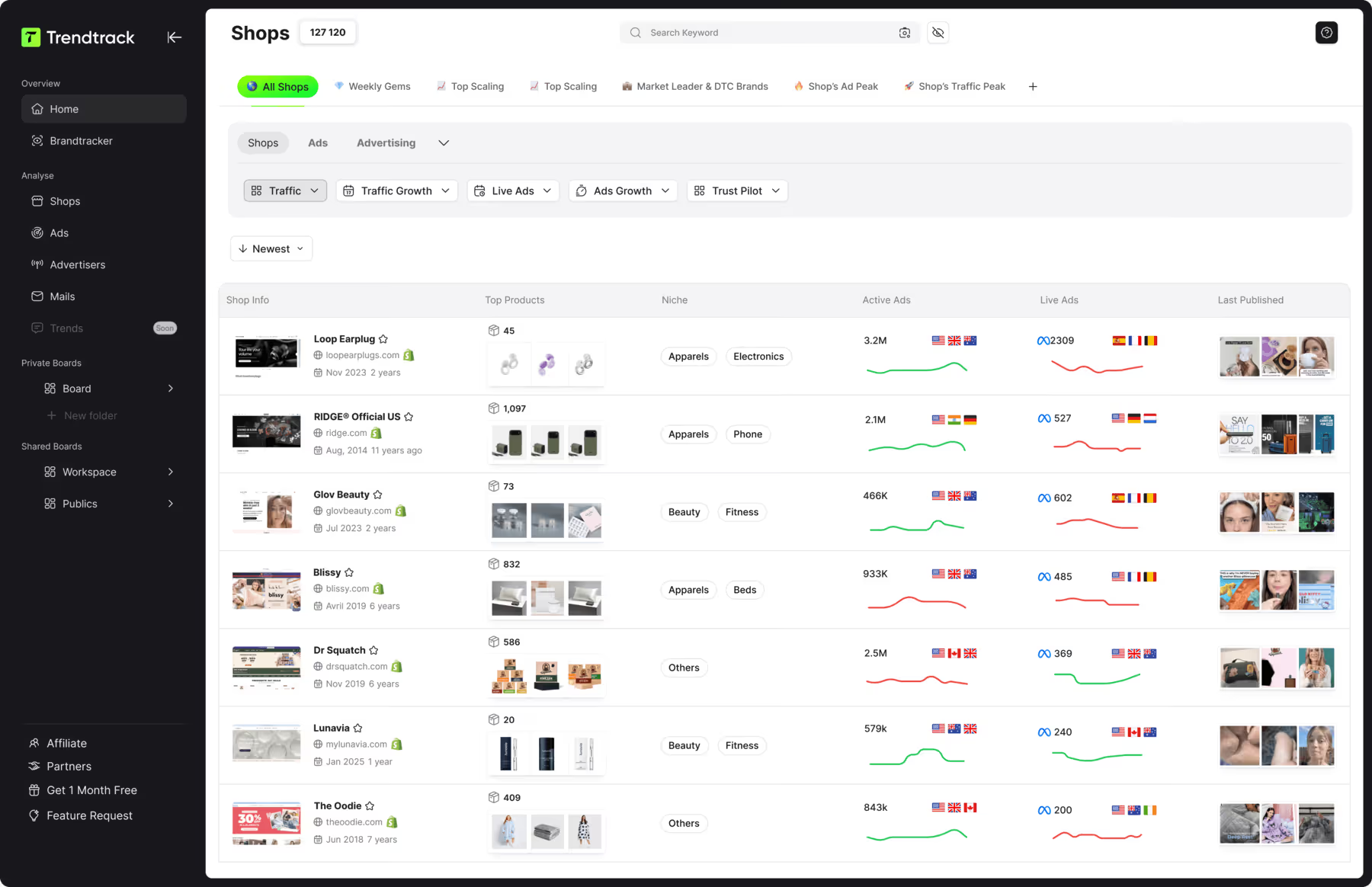
That’s exactly where TrendTrack stands out as one of the best tools for e-commerce keyword research.
Keyword research is not just about finding words with high search volume. It’s about identifying real opportunities, understanding what your audience is searching for, and aligning your product strategy with market demand. With TrendTrack, this process becomes not only easier, but significantly more powerful.
One of the biggest advantages of TrendTrack is that it transforms keyword research into actionable insights. Instead of showing you isolated data points, it helps you understand how keywords relate to products, niches, and competitors in real time.
This is crucial in e-commerce, where speed and accuracy can determine whether you catch a trend early — or miss it completely.
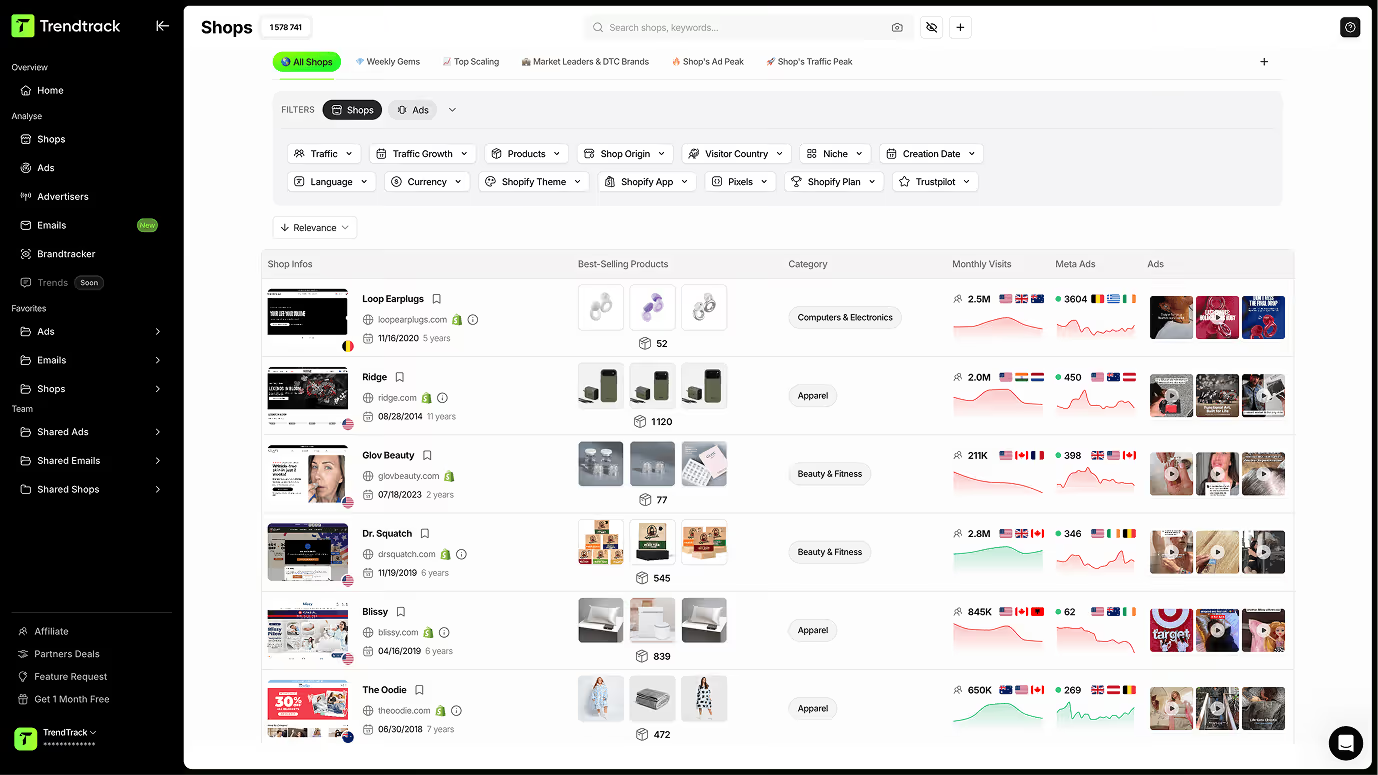
With TrendTrack, you can start by searching keywords based on a specific product idea. For example, if you type “yoga mat,” the platform instantly provides keyword suggestions, including long-tail variations, trending queries, and related terms that your competitors are already targeting.
This allows you to quickly identify high-demand keywords and understand how users are searching for similar products.
Another powerful feature is the ability to explore keywords by niche. Instead of working keyword by keyword, you can analyze entire markets such as fitness, pets, or home decor. TrendTrack surfaces the most relevant and trending keywords within that niche, helping you understand where demand is growing and which opportunities are worth pursuing.
This is particularly valuable if you are launching a new store or looking to expand your product catalog.
TrendTrack also allows you to analyze keywords based on shop names and competitors. This feature gives you a direct insight into what successful stores are targeting. You can identify which keywords drive their traffic, how their product pages are structured, and where potential gaps exist in the market.
This goes far beyond traditional keyword tools, which often lack real e-commerce context.
Another key strength of TrendTrack is its focus on product-market fit. Keyword research is not just about visibility — it’s about selling. By identifying keywords that reflect real demand, you can align your product pages, descriptions, and marketing strategy with what customers actually want.
This leads to higher conversion rates, not just more traffic.
Additionally, TrendTrack helps you discover long-tail keywords, which are often the most profitable in e-commerce. These keywords may have lower search volume, but they usually indicate stronger buying intent. Targeting these terms allows you to attract more qualified visitors and reduce competition.
The platform also simplifies the entire research process. Instead of switching between multiple tools, you get everything in one place: keyword suggestions, trend analysis, competitor insights, and niche exploration.
Here is a summary of why TrendTrack is one of the best tools for e-commerce keyword research:
Feature
Benefit
Product-based keyword search
Find relevant keywords directly tied to real products
Niche keyword exploration
Identify trending opportunities within your market
Competitor keyword insights
Understand what drives traffic for other stores
Long-tail keyword discovery
Target high-intent, lower-competition queries
Real-time trend analysis
Stay ahead of market shifts and emerging products
All-in-one platform
Save time and centralize your research workflow
Ultimately, the best keyword research tool is not the one with the most data — it’s the one that helps you make better decisions.
TrendTrack does exactly that by turning keyword research into a strategic growth lever. It helps you move from guessing what might work to building your store based on real demand, real data, and real opportunities.
And in today’s competitive e-commerce landscape, that’s the difference between slow growth and scalable success.
Ecommerce Keyword Research Tools and Search Engine Features
When building a strong e-commerce keyword strategy, using the right tools can save you time and give you access to valuable data. While no single tool is perfect, combining several platforms allows you to get a more complete view of your market, your competitors, and your opportunities.
Below are some of the most widely used tools for keyword research in e-commerce, along with how they can support your strategy.
Semrush
Semrush is one of the most well-known platforms in the SEO industry. It offers a wide range of features designed to help you explore and analyze keywords in depth.
With Semrush, you can access tools such as keyword overview, keyword manager, position tracking, and organic traffic insights. One of its most powerful features is the Keyword Magic Tool, which generates large lists of keyword ideas based on your initial query.
This allows you to discover variations, analyze search volume, evaluate keyword difficulty, and identify new opportunities. Depending on whether you use the free or paid version, the depth of data and features may vary, but even the basic version provides strong insights for beginners.
Ahrefs Keywords Explorer
Ahrefs is another major player in the SEO space and is widely used for both keyword research and competitive analysis.
Its Keywords Explorer tool allows you to uncover keyword ideas, analyze search volume, assess competition levels, and track how keywords evolve over time. One of Ahrefs’ strengths is its ability to provide detailed insights into competitor strategies, helping you understand what keywords are driving traffic to other websites.
Ahrefs offers both free tools and premium features, with the paid version unlocking more advanced data and capabilities.
Google Keyword Planner
https://ads.google.com/home/tools/keyword-planner/
Google Keyword Planner is a free tool provided by Google, available through a Google Ads account. While it may not be as advanced as other platforms, it has a major advantage: its data comes directly from Google.
This tool allows you to discover keyword ideas, estimate search volume, and understand potential traffic trends. It’s particularly useful for identifying commercial keywords and planning paid advertising campaigns.
Even though it lacks some advanced features, it remains a reliable and accessible starting point for anyone entering e-commerce keyword research.
Moz Keyword Explorer
Moz Keyword Explorer is a user-friendly tool designed to simplify keyword research. It provides keyword suggestions, SERP analysis, difficulty scores, and search volume estimates.
One of its strengths is its ability to help you find long-tail keywords, which are often less competitive and more conversion-oriented. Moz also offers features like keyword prioritization and search visibility scoring, helping you focus on the most relevant opportunities.
There is both a free version and a paid subscription, with more advanced capabilities available in the premium plan.
Google Search Console
https://search.google.com/search-console
Google Search Console is a free tool that focuses on performance tracking rather than pure keyword discovery, but it is extremely valuable for refining your strategy.
It allows you to see which keywords your website is already ranking for, how many clicks and impressions you’re getting, and where improvements can be made. You can also identify technical issues, optimize your pages, and monitor your SEO performance over time.
Rather than replacing keyword research tools, Google Search Console complements them by providing real performance data directly from Google.
Helium 10
Helium 10 is a powerful tool specifically designed for e-commerce and marketplace sellers, particularly those operating on platforms like Amazon.
It offers a wide range of features, including keyword research, product analysis, competitor tracking, and listing optimization. Tools like Cerebro and Magnet allow you to identify high-performing keywords based on real product data.
Helium 10 is especially useful for sellers who want to scale their business across multiple marketplaces and optimize their listings based on real market trends and performance metrics.
Useful Sources:

.avif)
Ready to build a million-dollar brand?
.avif)