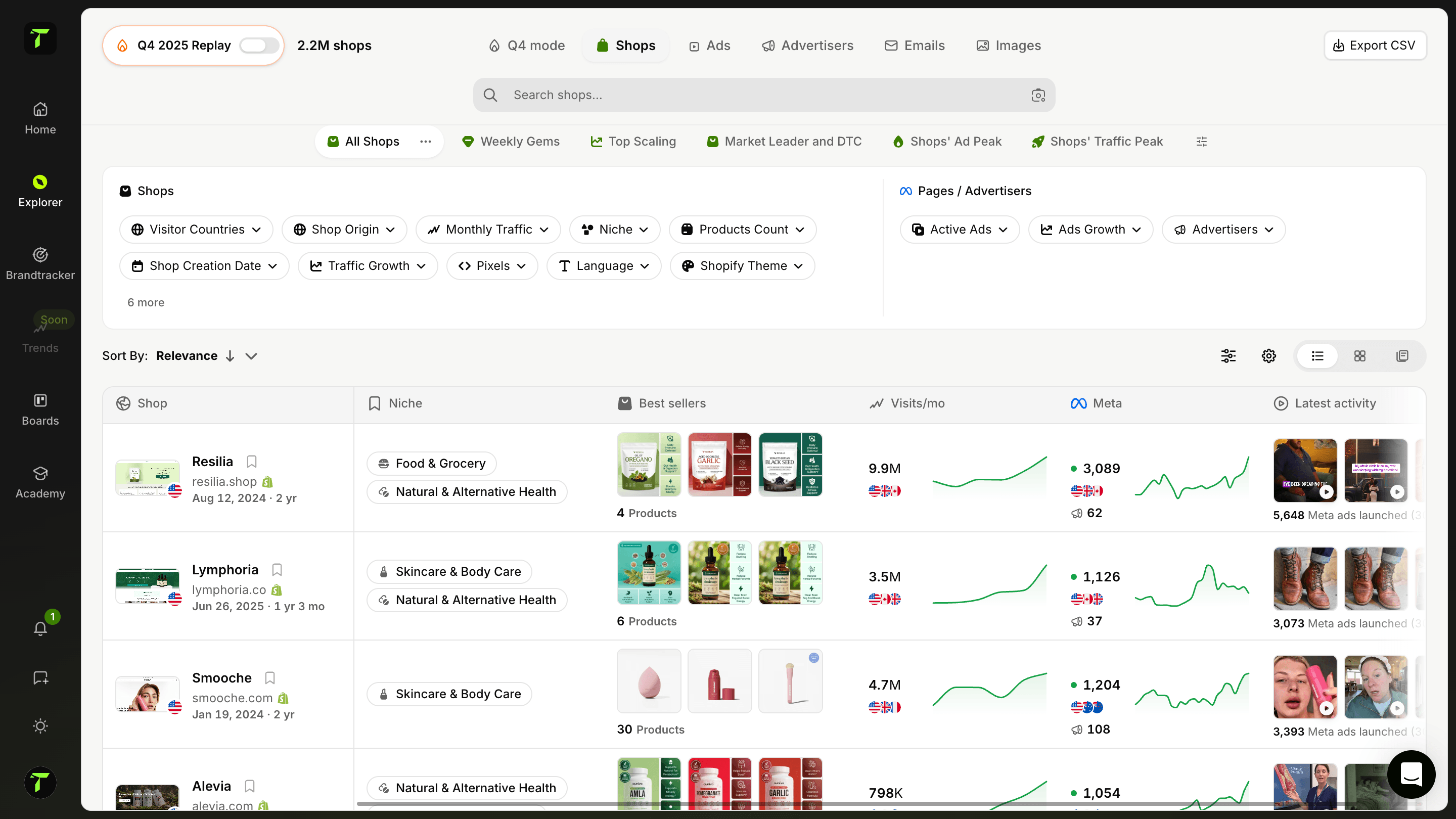
分析某店铺的邮件营销策略
探索特定店铺发送给客户的邮件营销活动。查看他们的邮件流程、发送频率、活动类型和整体策略。了解他们如何从弃购挽回到复购培养客户关系。
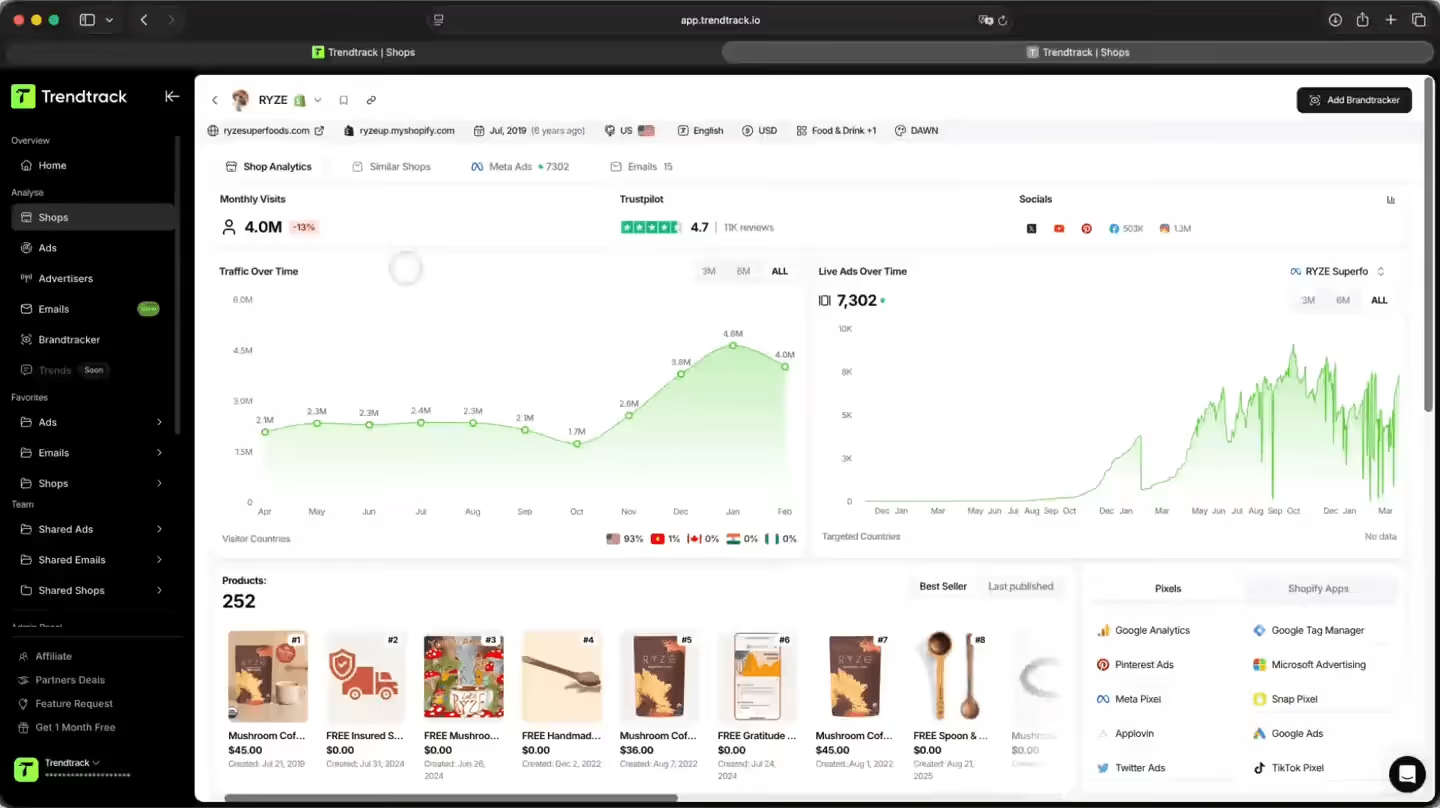
更聪明地分析任意店铺的邮件策略
逆向拆解任意店铺的邮件营销策略。查看他们完整的自动化流程、发送频率、活动日历,并浏览他们发送过的每一封邮件——设计与文案一应俱全。

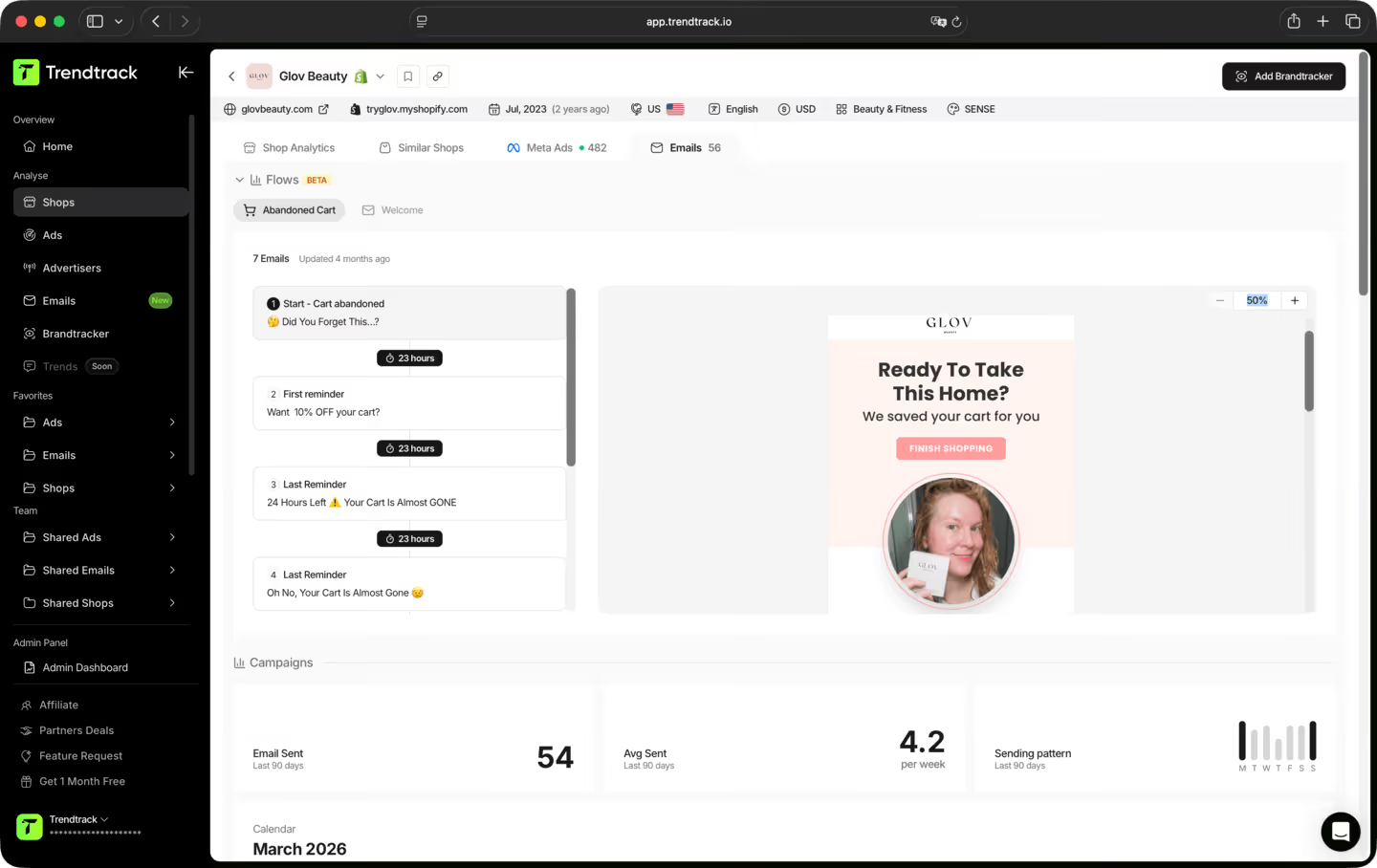
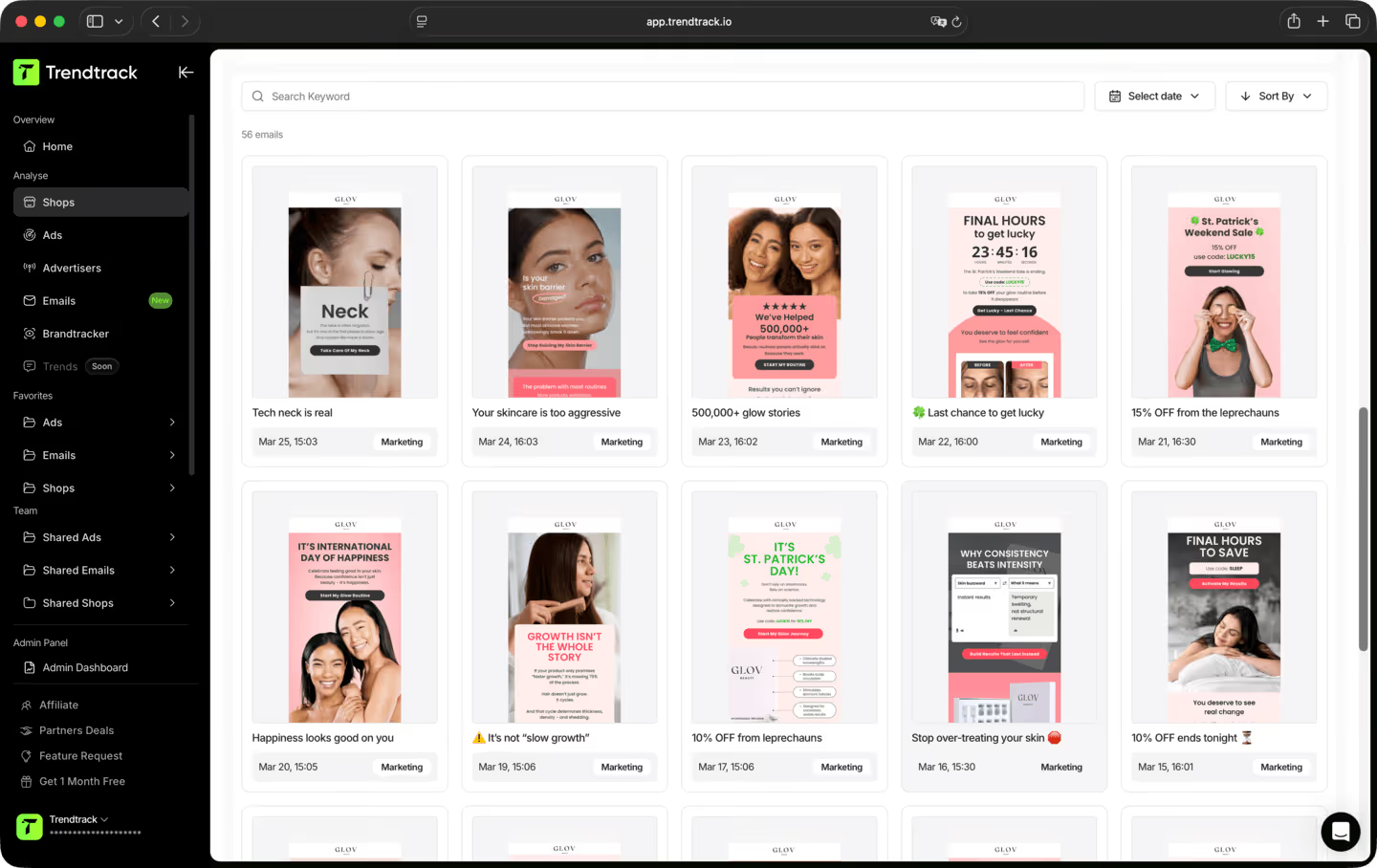
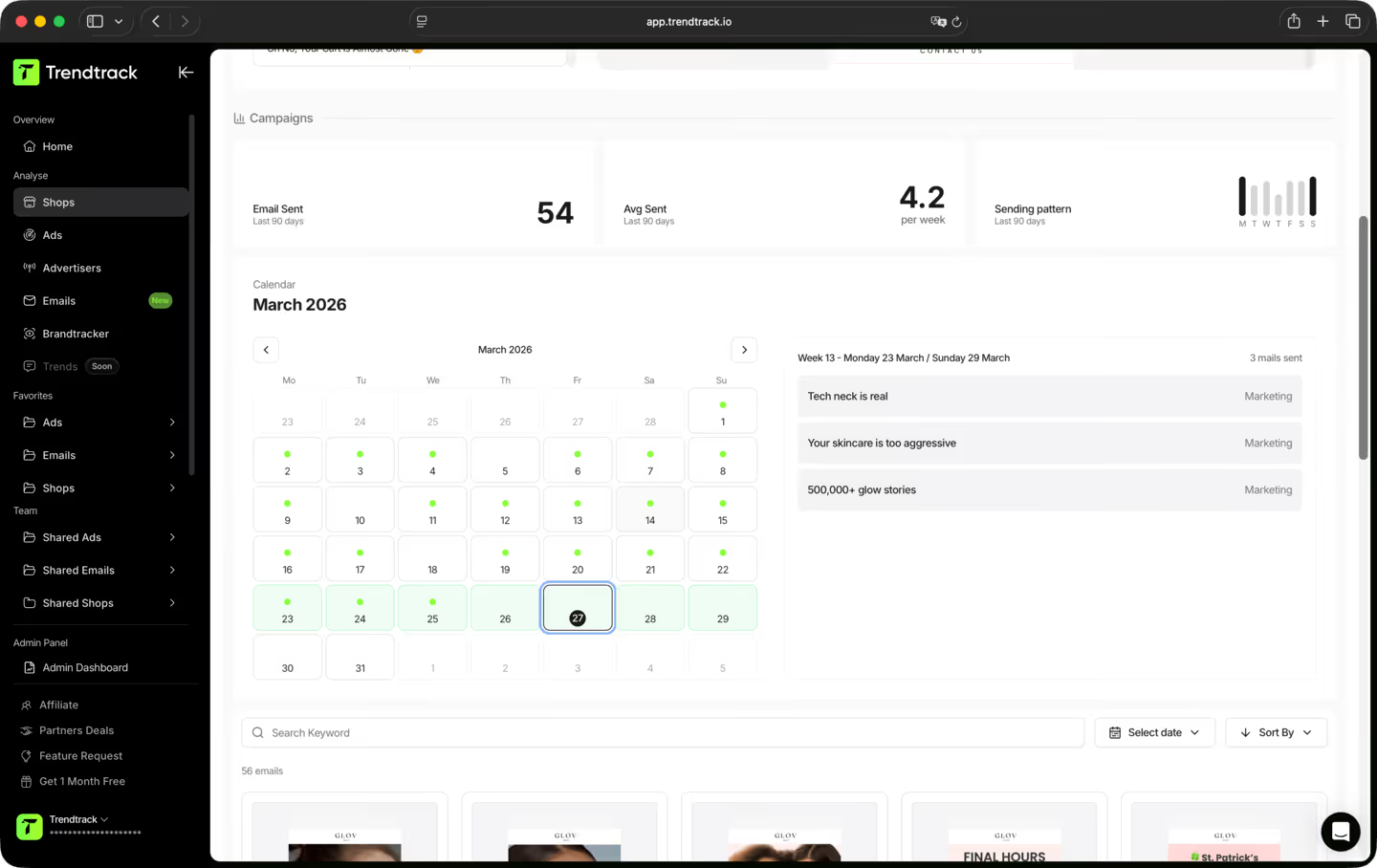
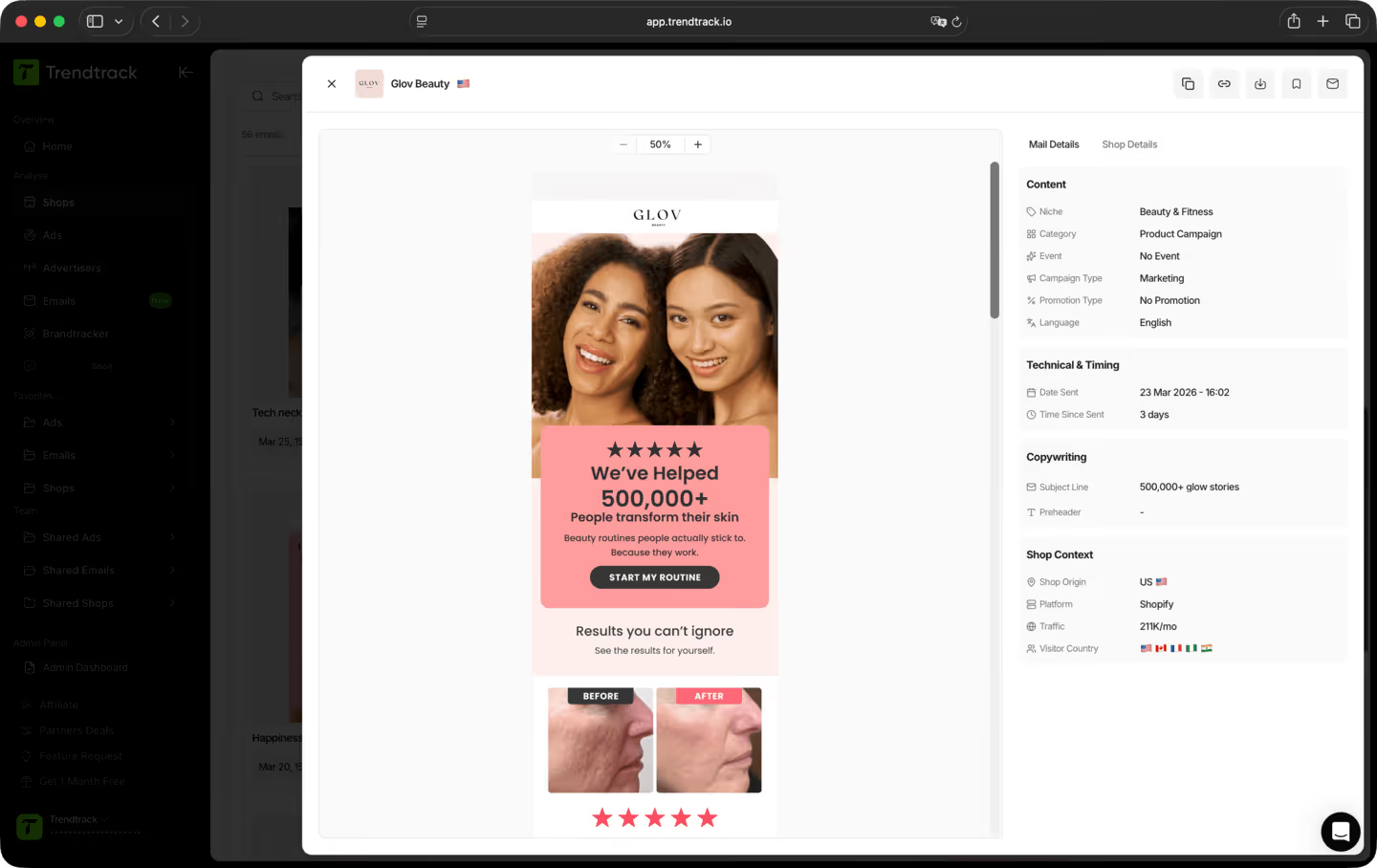
一套简单流程,助你审查流程与营销活动





是的。没有任何承诺,也不会被锁定。你可以随时直接在账户中取消。
大多数工具展示的是上个月的有效打法,而我们展示的是今天正在奏效的打法。我们的基础设施每天扫描整个 Shopify 和 Meta 生态系统,每 24 小时新增 2 到 3 百万条广告索引。没有延迟,没有编辑筛选,没有主观挑选,只有实时的市场真相。
这是降低你第一步风险的最佳方式之一。你不必再靠猜测,而是可以实时看到哪些产品正在获得关注、哪些广告正在放量投放、哪些细分品类正在升温。你押注的不是直觉,而是实时的市场信号。
是的。找到新角度最快的方法,就是看看在你所在的细分市场以及其他领域,什么已经在奏效。TrendTrack让你能够访问数百万条正在投放的创意素材,这些素材按表现信号排名,并每天更新。下一个爆款钩子(hook)此刻已经在某个地方投放了,我们帮你找到它。
我们所有的数据都直接来自真实来源,没有凭空捏造的数字,也没有随意估算的结果。广告花费数据直接来源于 Meta 官方数据。店铺流量数据则由 SimilarWeb 提供支持,它是业内最可靠的流量情报提供商。数据每 24 小时更新一次,能让你最准确地掌握当下正在扩量的内容,足以帮你发现爆款、追踪新兴品牌,并在趋势达到顶峰之前提前预警。
这取决于你的订阅方案。每个方案都有各自的访问权限和使用额度。在订阅之前,我们建议你先查看我们的定价页面,确保选择最适合你需求的方案。
TrendTrack 是一个专注于一件事的电商情报平台:为你提供市场上最精准、最新鲜的数据。每一家店铺、每一条广告、每一封邮件、每一个消费信号,都会每 24 小时更新一次。因为想知道电商领域此刻正在爆火的是什么,只有当“此刻”真正意味着此刻,这份信息才有价值。
任何做电商决策、且输不起的人。想在花钱之前先验证产品的新手。广告素材正在衰退、急需新角度的运营者。需要提前洞察市场变化的品牌方和代理商。如果你的决策依赖于了解当下真正有效的方法,这就是你需要的工具。
准备好打造一个百万美元级别的品牌了吗?
.avif)